Last Updated on 6 months ago by Admin
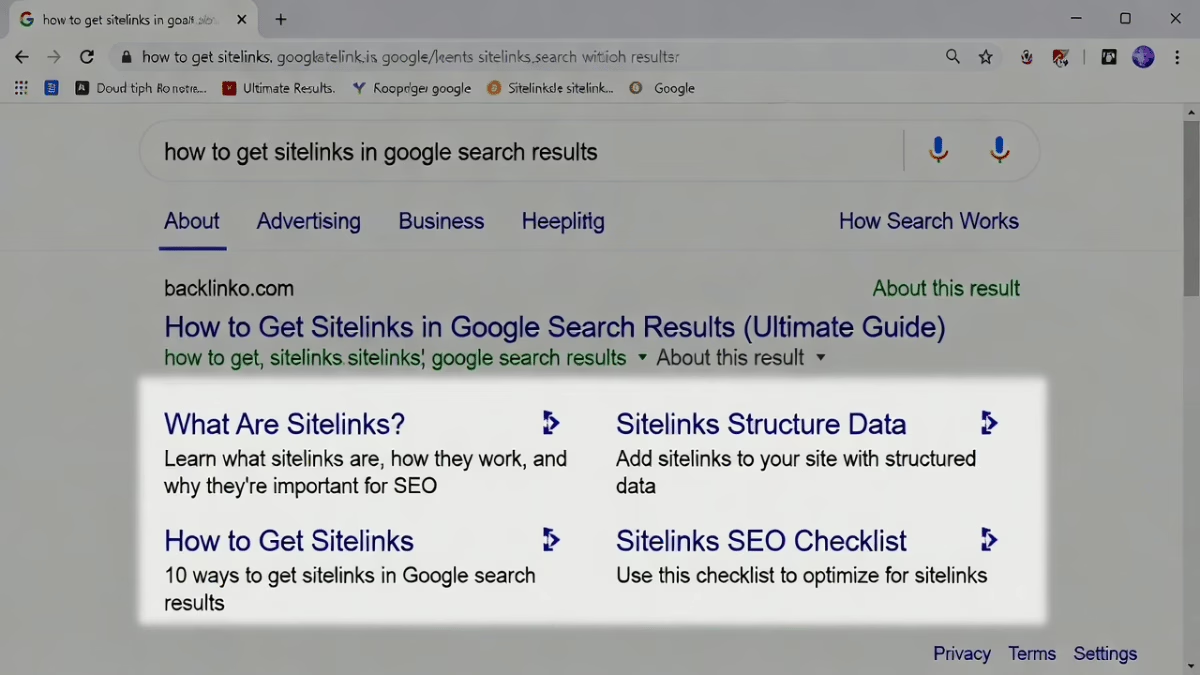
You type your brand name into Google and see a clean, clickable list of shortcuts right under your main result: Services, About Us, Contact, and Blog. Those are sitelinks – extra links Google pulls from your site to help searchers jump straight to what they need.
Businesses that earn them watch click-through rates climb and user frustration drop. At NewReputation, we see sitelinks transform brand searches every month. They turn a single blue link into a powerful navigation hub that reinforces your positive story and pushes unwanted results further down the page.
1. Build a crystal-clear site hierarchy
Create a logical folder structure and menu that mirrors how people actually browse. Place your most important pages no more than two clicks from the homepage. Google reads this hierarchy like a map. When the structure is simple and consistent, sitelinks appear faster and point exactly where you want.
Site Hierarchy Map
2. Write informative, compact page titles and headings
Use clear, keyword-rich titles and H1/H2 tags that describe each page in 50–60 characters or less. Avoid vague labels or repetitive phrases. Google pulls sitelink text directly from these elements, so every word counts.
Title & Heading Best Practices
Google pulls sitelink text from titles and headings. Keep them 50–60 characters, keyword-rich, and unique.
3. Strengthen internal linking with concise anchor text
Link deliberately to your priority pages from the homepage, blog posts, and footer. Use natural, descriptive anchor text such as “Read our reputation repair process” instead of “Click here.” The more relevant internal links a page earns, the higher its chances of becoming a sitelink. See our guide on writing keyword-friendly content for more examples.
Internal Linking Strategy
4. Submit an updated XML sitemap and use breadcrumbs
Tell Google exactly how your site is organized. Upload a fresh sitemap through Google Search Console and implement breadcrumb navigation on every page. These signals help Google understand page relationships and pick the right shortcuts.
Sitemap & Breadcrumb Setup
Tell Google exactly how your site is organized.
Use Yoast, Screaming Frog, or your CMS to auto-generate
Go to Sitemaps → Add → paste your sitemap URL
Show path on every page: Home → Services → Repair
Implement BreadcrumbList structured data for Google
5. Optimize for mobile and speed
Google prioritizes user experience. A fast, mobile-friendly site with intuitive navigation earns sitelinks more reliably than a clunky desktop-only version. Compress images, enable browser caching, and test every menu on mobile.
Mobile & Speed Optimization
Google prioritizes user experience. Fast, mobile-friendly sites earn sitelinks more reliably.
6. Keep content fresh and avoid duplication
Update key pages regularly and eliminate duplicate titles or thin content. Clean, unique pages signal quality, making Google more willing to highlight them as sitelinks. Check our keyword-friendly content guide to keep pages strong.
Content Freshness & Deduplication
Clean, unique pages signal quality — making Google more willing to highlight them as sitelinks.
7. Monitor and demote unwanted sitelinks
Check Google Search Console regularly. If an old or irrelevant page appears, remove it entirely or add a noindex tag. This simple action tells Google to stop suggesting that shortcut.
Monitor & Demote Unwanted Sitelinks
Review which pages appear as sitelinks for your brand
Old, irrelevant, or outdated pages showing as shortcuts
Delete the page or add a noindex tag to stop it appearing
Google will refresh sitelinks once it recrawls
Real results from NewReputation clients
We recently restructured navigation and internal linking for a national service company whose brand search showed outdated pages. Within 45 days, clean sitelinks to Services, Case Studies, and Contact replaced the old ones. Organic traffic to those pages jumped 34% and negative review links dropped off page one. Another client in the personal-services space earned sitelinks to their booking and testimonial pages after we optimized headings and anchor text — directly improving conversion rates from brand searches. These wins happen because sitelinks let you control the story Google tells about your brand. See how small businesses benefit from reputation management.
What is Google saying about you?
Discover how you appear online and receive tailored strategies to strengthen your digital presence and protect your reputation.
Sitelinks are not a ranking factor, but they amplify every ranking you already own. They make your result bigger, more useful, and more trustworthy — exactly what searchers and reputation-conscious brands want.