
If you are trying to find old tweets from someone else on X, formerly known as Twitter, you are not alone. People look for old posts all the time. Sometimes it is for research. Other times it is curiosity, context, or documentation.
The good news is that it is possible to view old tweets from other users. However, you need to know where to look and what the limits are.
This guide walks through the real options that still work as of 2026, without hype or shortcuts that no longer exist.
The Most Reliable Method: X Advanced Search
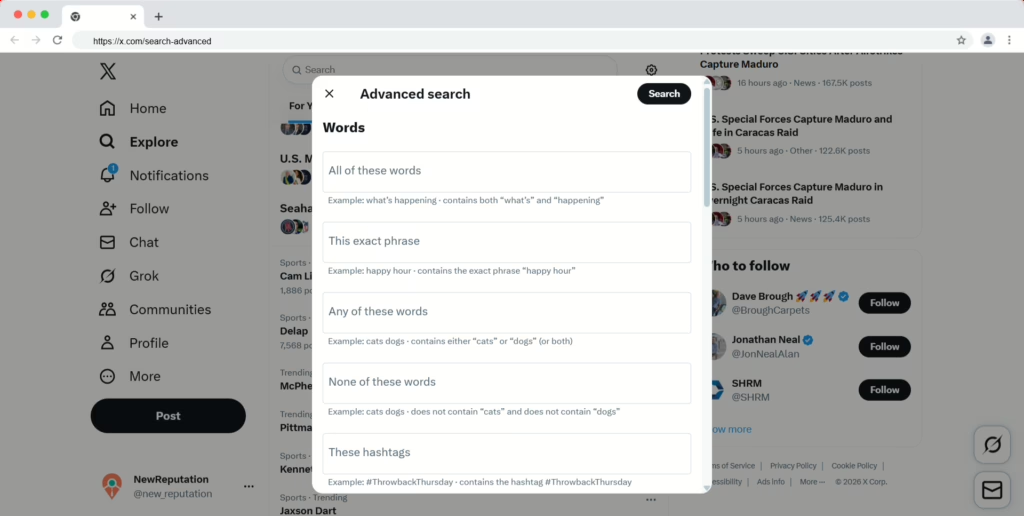
By far, the best way to find old tweets from other users is X’s Advanced Search. It is built into the platform and works for public accounts.
Advanced Search lets you filter tweets by date, keywords, and account. With the right settings, you can scroll back years, sometimes to the account’s earliest posts.
How to Access Advanced Search
You have two easy options.
You can go directly to:
https://x.com/search-advanced
Or, if you are already on X:
- Go to the Search tab or x.com/explore
- Click the three dots or advanced options icon
The direct link is faster and easier, especially on desktop.
How to Use Advanced Search Step by Step
Once you are on the Advanced Search page, focus on two sections: Accounts and Dates.
Here is how to set it up:
- In the Accounts section, enter the username in “From these accounts” (example: @username)
- In the Dates section, choose a “From” and “To” range
- Use the earliest possible date if you want very old tweets
- Add keywords or hashtags only if you need to narrow results
After you submit the search, click the Latest tab. This matters. The default “Top” view hides older posts.
Scroll down and load more results as needed. X loads tweets in chunks, so patience helps.
Using Search Operators Instead of the Advanced Page
If you prefer typing directly into the search bar, X still supports search operators. This method works on both desktop and mobile.
You can type something like this:
from:username since:2014-01-01 until:2015-01-01
Replace the username and dates with what you need. Smaller date ranges usually return better results.
This approach works well if you already know roughly when the tweet was posted.
Scrolling Through a User’s Profile
You can also scroll through someone’s profile manually. This works fine for recent content.
However, X limits timelines to about 3,200 public posts. Once you hit that limit, the timeline stops loading, even if the account is much older.
Because of this, profile scrolling works best for:
- Low-volume accounts
- Recent history
- Quick checks
It is not reliable for deep history.
Using the Wayback Machine
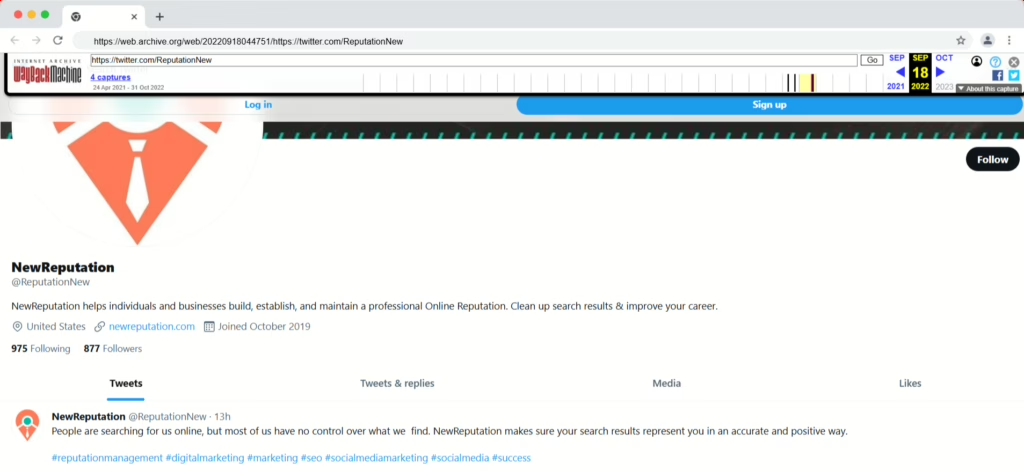
The Wayback Machine at archive.org can sometimes help, but expectations matter.
If a public X profile was popular or frequently visited, the Wayback Machine may have saved snapshots of it over the years. You can paste the profile URL, like x.com/username, and select a saved date.
What you will see:
- The profile as it looked on that day
- Usually the top 10 to 20 tweets visible at the time
What you will not get:
- A full tweet history
- Searchable tweets
- Replies or older scroll
This option works best for high-profile accounts and specific moments in time. Coverage is inconsistent.
Important Limits You Should Know About
Even with the right tools, there are limits you cannot bypass.
Private or Protected Accounts
You cannot view tweets from protected accounts unless you are an approved follower. No tool or subscription changes that.
Deleted Tweets
If someone deleted a tweet, you usually cannot see it. Rare exceptions exist if the Wayback Machine captured it before deletion, but that is uncommon.
Very Old or Low-Engagement Tweets
Some old tweets simply do not appear in search results. X does not fully index everything, especially low-engagement content from years ago.
X Premium Subscriptions
Premium plan on X does not unlock access to other users’ old tweets. It adds features to your own account, not historical visibility into others.
Data Archive Downloads
You can only download archives for your own account. X does not allow downloading tweet history for other users.
What Actually Works Best in Practice
If you are trying to find an old tweet, start with Advanced Search. Narrow your date range. Switch to “Latest.” Adjust and try again.
If that fails, test search operators manually. After that, check the Wayback Machine if the account is well-known.
Anything beyond those options usually leads to outdated advice or tools that no longer function.
Final Thoughts
Finding old tweets takes some patience. The platform does not make it obvious, and it never has.
Still, with the right approach, you can often track down what you are looking for. You just need to work within the limits X sets.
If someone promises full access to deleted or private tweets, they are not being honest. Stick with the methods above. They are the ones that still work.
And when in doubt, narrow your search. Smaller windows almost always produce better results.

The NewReputation Help Center discusses brand reputation, online PR, search engine marketing, content marketing, and much more.