To opt out of SpyDialer.com, go to spydialer.com, click Do Not Sell or Share My Personal Information in the footer, click Start, select your state and complete the CAPTCHA, add only the data already shown on your listing, then click Opt-Out My Info. Removal is typically immediate. Free.
SpyDialer.com is a free reverse phone lookup service that collects personal information from public records and databases, including names, phone numbers, addresses, and email addresses. This guide walks you through removing your listing for free in about 5 to 10 minutes.
Search the site with your phone number or name before starting the wizard so you know exactly what's listed. Only enter data already shown on the site. Adding information they don't already have can create a new record instead of removing an existing one.
The opt-out wizard is reached through the privacy link in the site footer.
Action
Go to spydialer.com, scroll to the bottom of the page, and click Do Not Sell or Share My Personal Information.
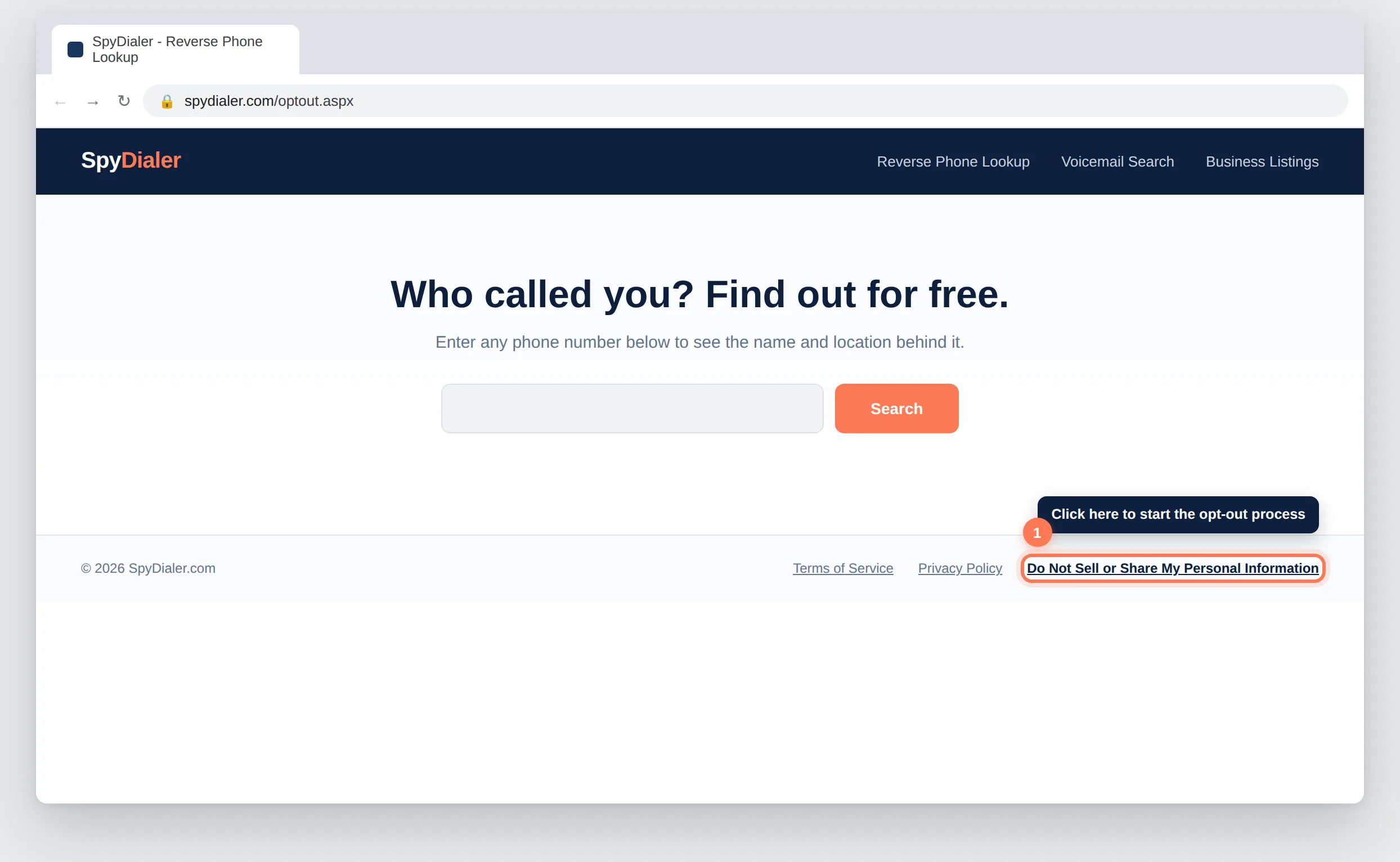
The privacy page introduces the process before you begin.
Action
Click the Start button on the privacy page to begin the removal wizard.
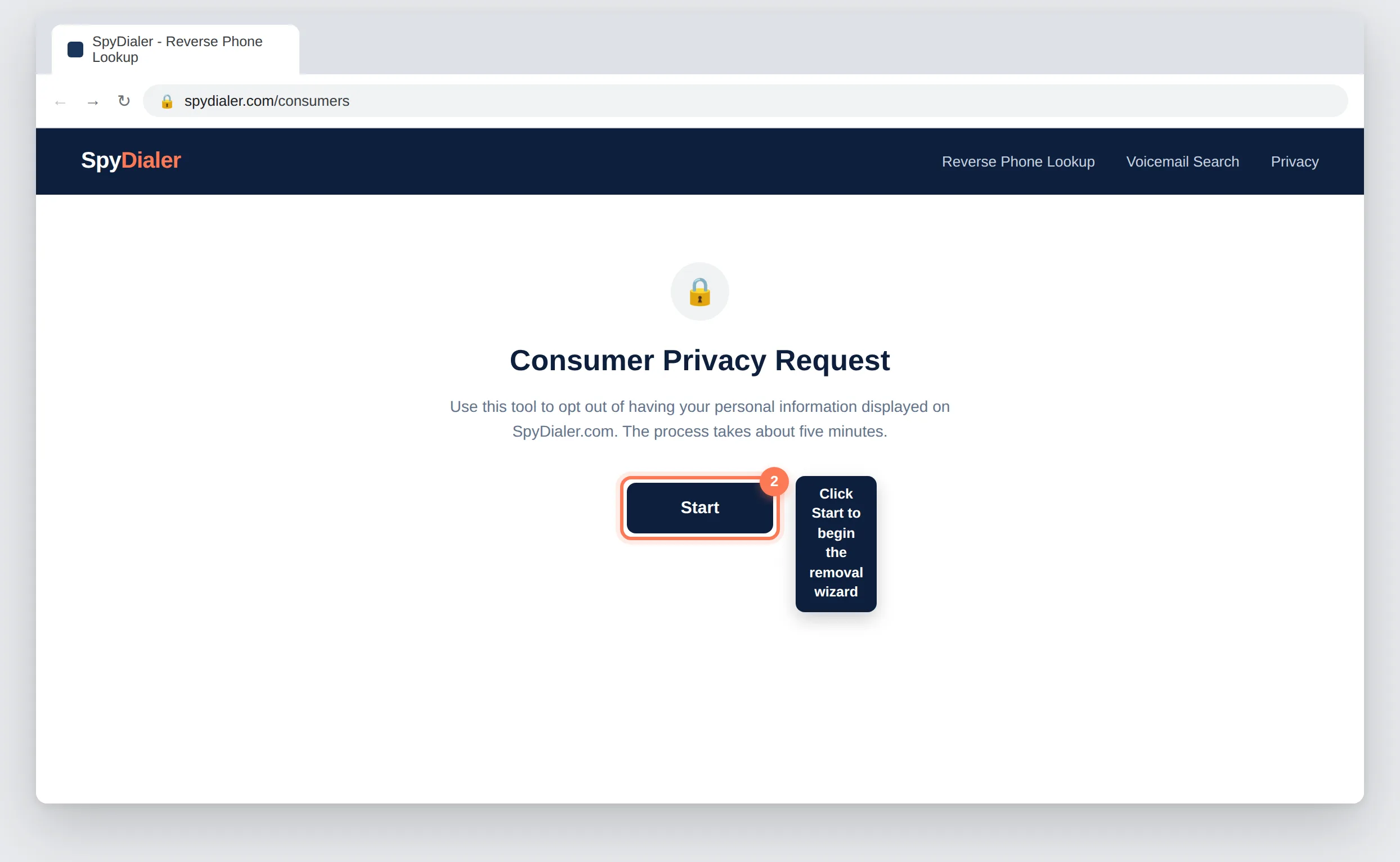
Basic verification is required before you can proceed to the data entry step.
Action
Select your state from the dropdown, solve the I'm not a robot CAPTCHA, and click Continue.
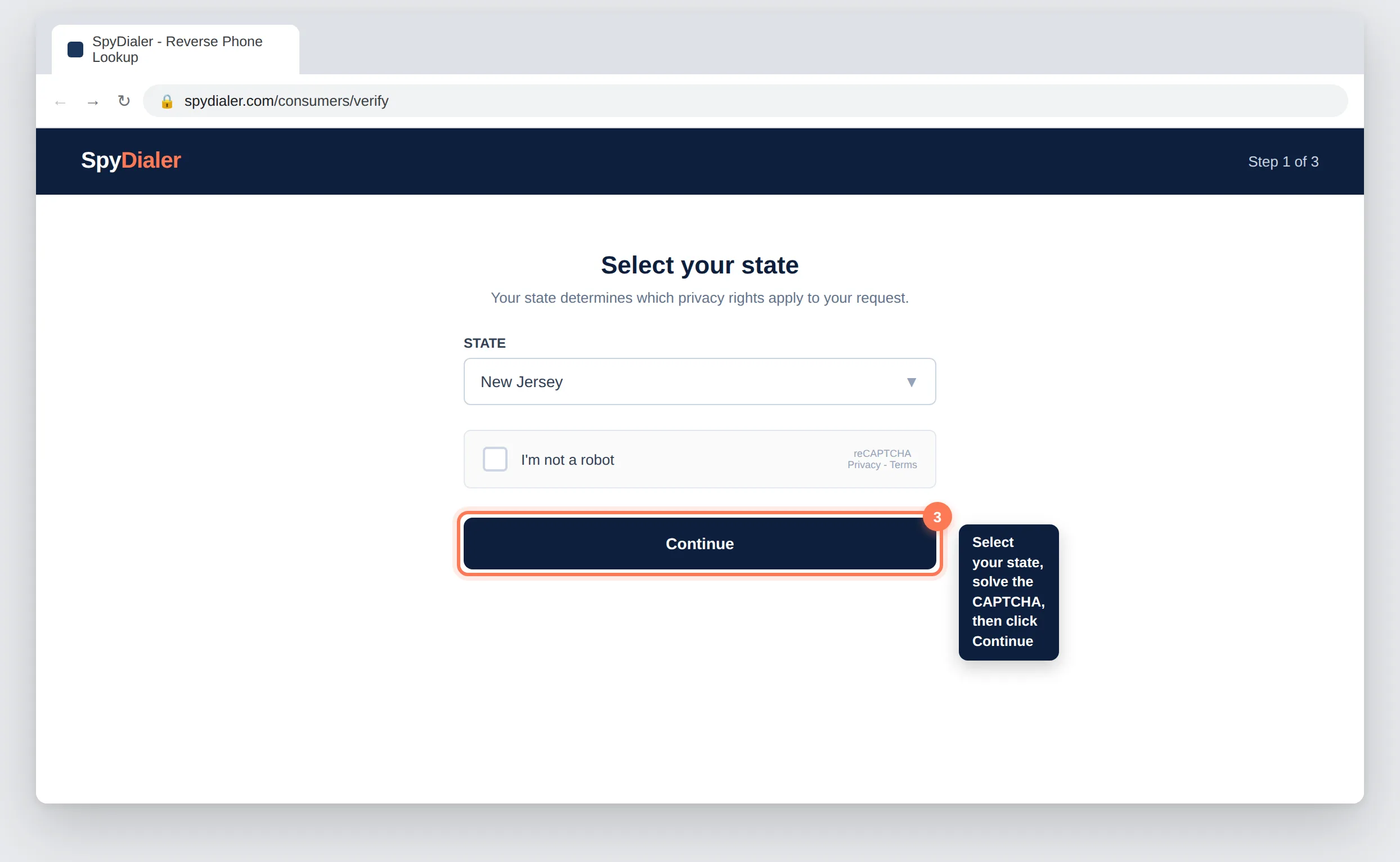
Enter only the information you want removed, matching exactly what appears on your listing.
Action
Click the + buttons next to Name, Address, Phone Number, and Email to add your details exactly as they appear on the site.
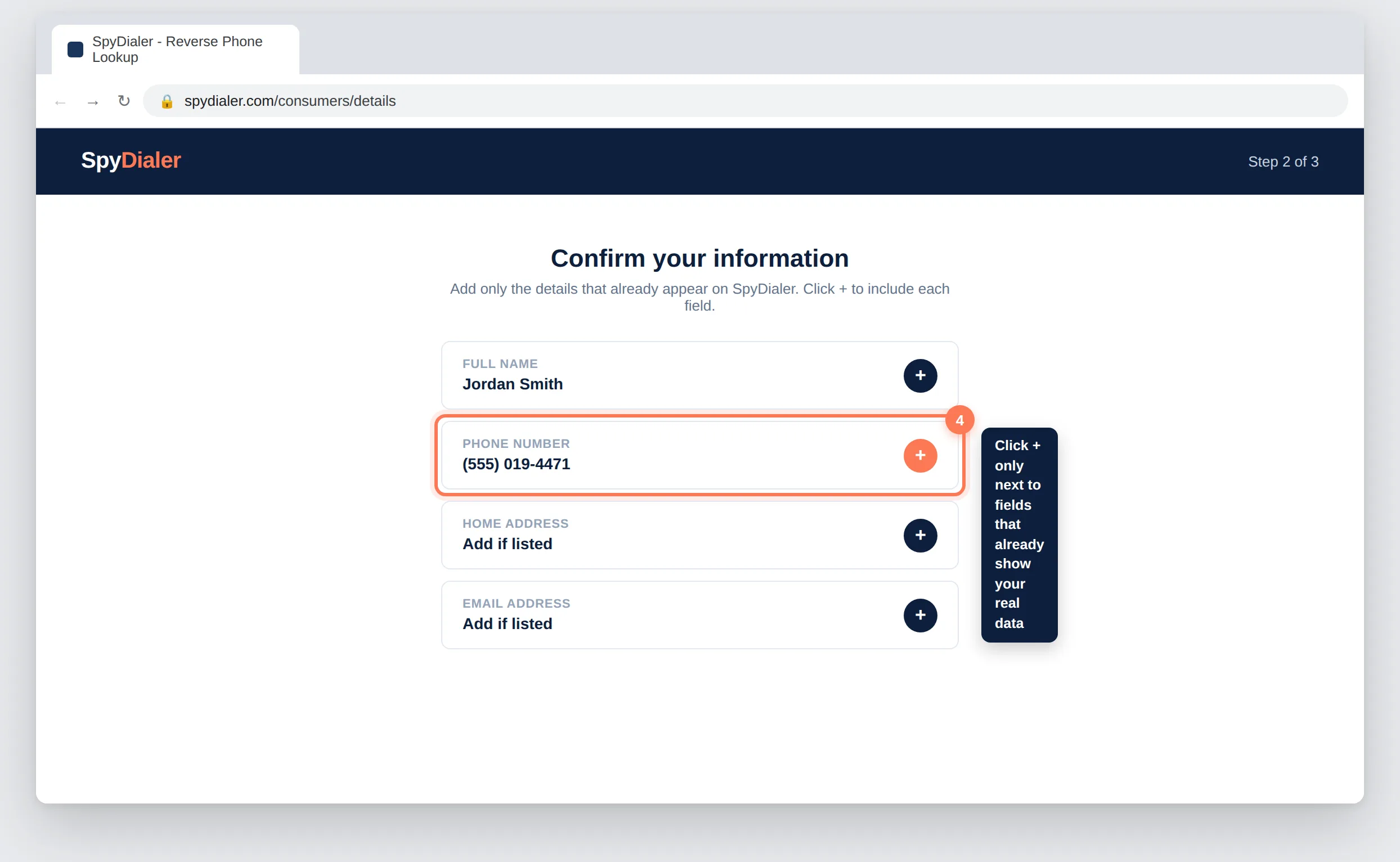
Review your entries before finalizing the removal.
Action
Review the information you entered and click Opt-Out My Info.
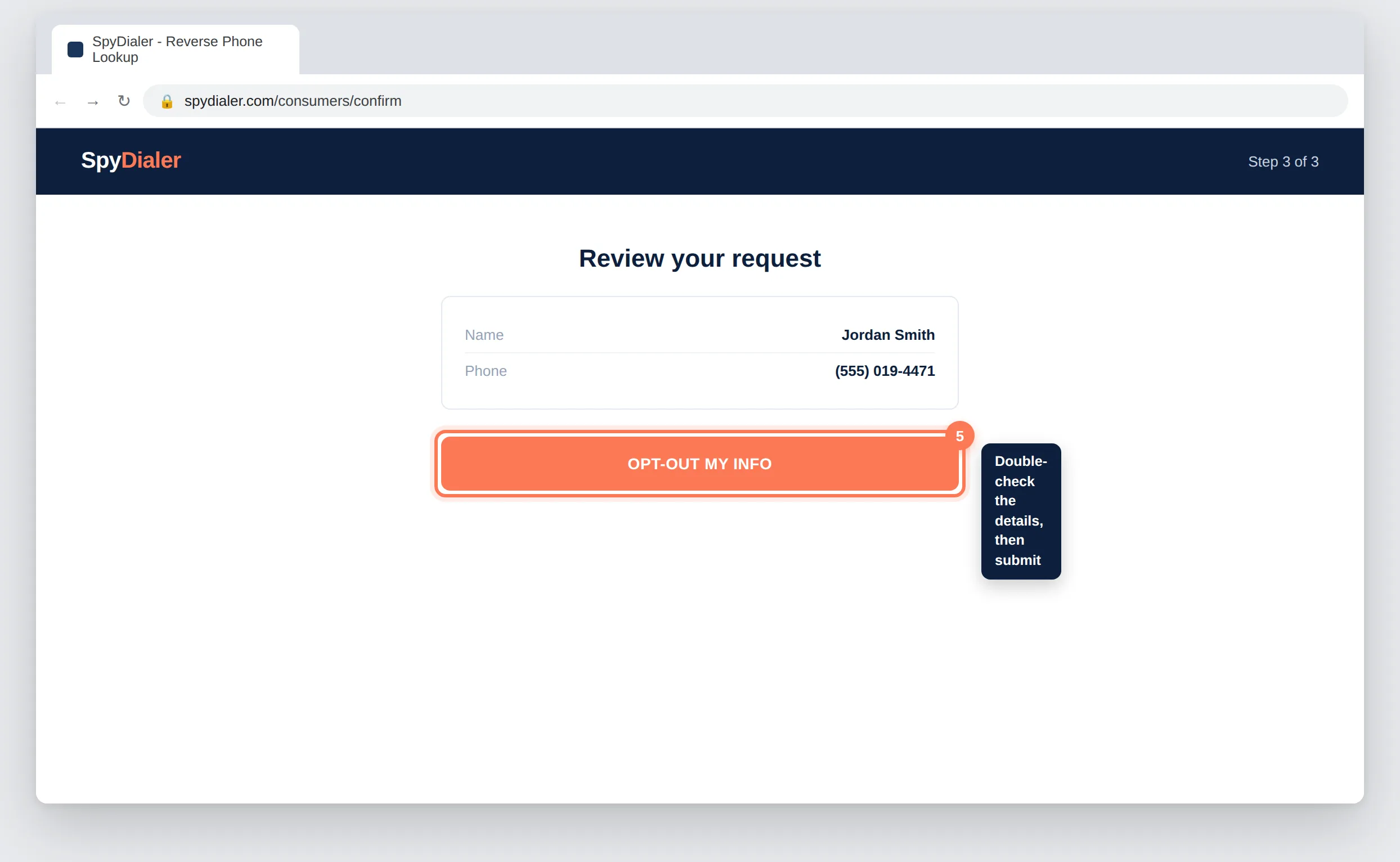
SpyDialer.com typically removes listings immediately after submission.
Action
Search spydialer.com again by phone number or name to confirm your listing no longer appears.
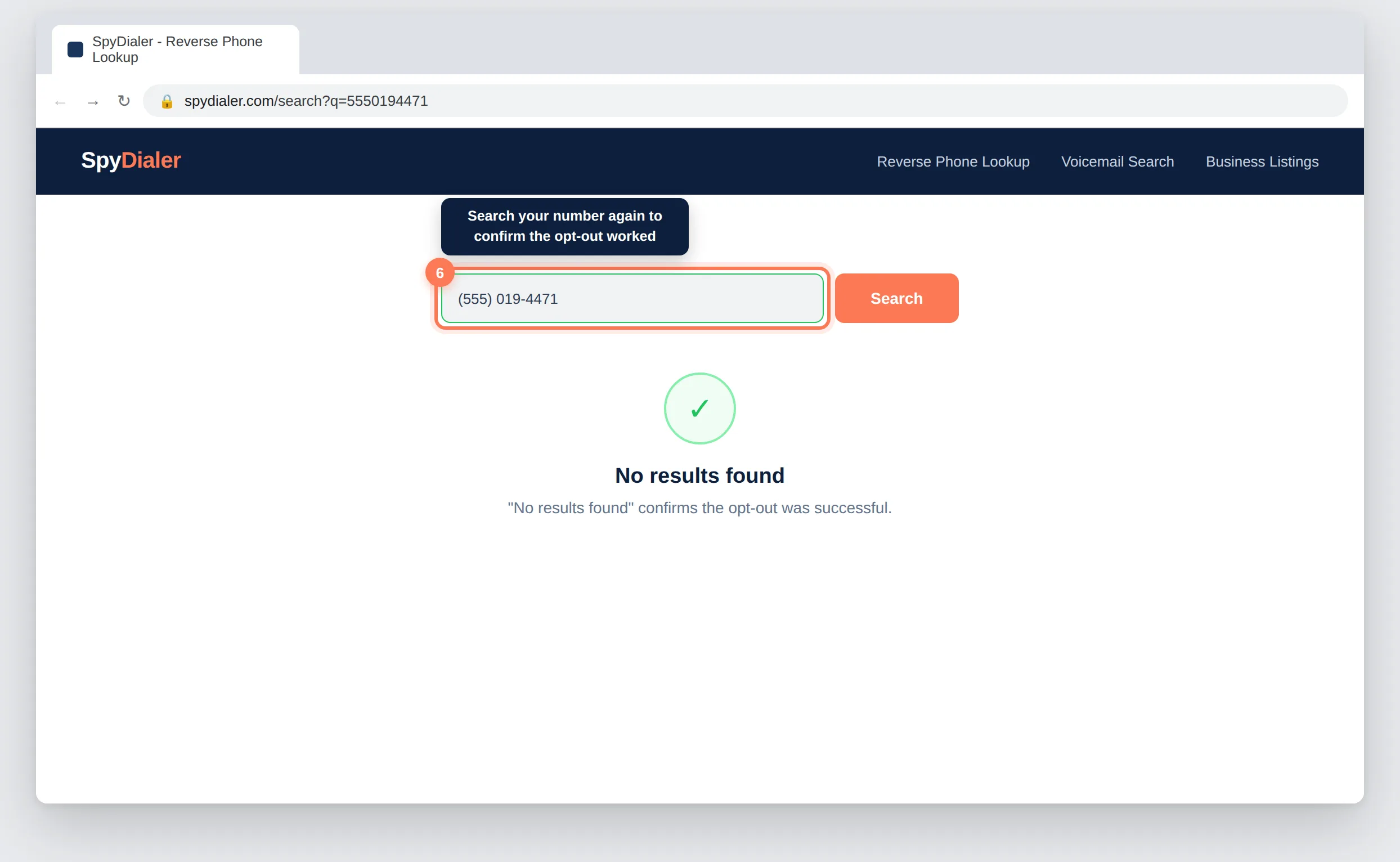
Removal is typically immediate upon submitting the opt-out request. Search SpyDialer.com right away with your phone number or name to confirm your listing is gone. If it still appears, wait a few minutes, clear your browser cache, and search again.
No. Only enter the exact data currently listed on SpyDialer.com to avoid adding new information to their database. Name and phone number are often sufficient, since those are the fields most listings display.
Yes. Search SpyDialer.com with your phone number or name first to see exactly what is listed. This tells you which fields to add in the opt-out wizard and prevents you from accidentally submitting information that wasn't already public on the site.
Yes, completely free. Never pay anyone claiming to remove you directly from SpyDialer.com. The opt-out wizard reachable from the site footer costs nothing to use.
Refresh the page and try again, or switch to an incognito or private browser window. The CAPTCHA wizard is sensitive to ad blockers and privacy browser extensions, which can interfere with it loading correctly.
Yes. SpyDialer.com draws from public records and databases that update periodically, which can reinstate removed listings. Check the site every 3 to 6 months and repeat the opt-out process if your record reappears.
Wait a few minutes, clear your browser cache, and search SpyDialer.com again. If your listing is still visible, resubmit the opt-out wizard or contact SpyDialer.com support directly.
Your removal request has been submitted to SpyDialer.com. Removal is typically immediate.
There are 100+ major data brokers constantly re-publishing your personal information.
Manually removing yourself from all of them takes most people 200 to 300 hours – and you have to repeat the process every 1 to 3 months.
Protecting online reputations since 2019
View the Full Data Broker Library