
Last Updated on 7 months ago by Admin
If you care about privacy, you probably have the same goal as everyone else.
You want to search and browse without feeling watched.
Brave provides protection while you browse, while DuckDuckGo provides protection for your searches.
That is why people often compare them and still feel confused. They are not the same kind of tool.
Let’s make the choice easier.
Start with how you use the internet
There are two primary aspects of your online life. You search and then you browse.
First, you search. You type questions, names, brands, and problems into a search bar.
Then, you browse. You click results, read pages, shop, log in, and move from site to site.
Privacy problems show up in both buckets, but they look different.
Some tools focus on reducing what happens while you browse. Others focus on keeping your searches from being tied back to you.
Brave and DuckDuckGo split along that line.
Brave: the “cleaner browsing” option
Brave feels like a modern, full browser. You can use it as your everyday home base.
What makes it different is what it tries to stop in the background.
When you open a page, many sites load extra code from ad networks and tracking companies. That code often exists for one reason. It wants to learn who you are, what you click, and where you go next.
Brave tries to cut down that noise. As a result, you usually see fewer creepy ads and fewer “follow you around” patterns.
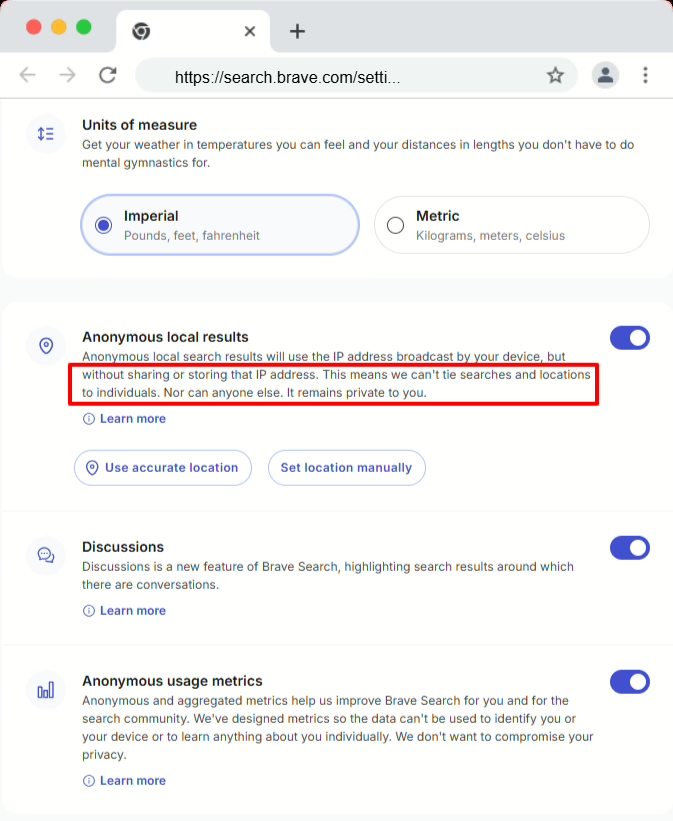
You may also notice pages load with less clutter. That is not a magic trick. It is simply what happens when a browser refuses to load as many unwanted extras.
Brave also works well for people who like control. It supports common browser add-ons and everyday features, so you do not have to trade convenience for privacy.
DuckDuckGo: the “private search” option with a simple browser
DuckDuckGo earned its name as a privacy focused search engine.
A lot of people start there for a practical reason.
Search history can reveal more than you think. It shows intent. It shows worries. It shows plans. That is why some people want a search tool that does not try to build a personal profile around what they type.
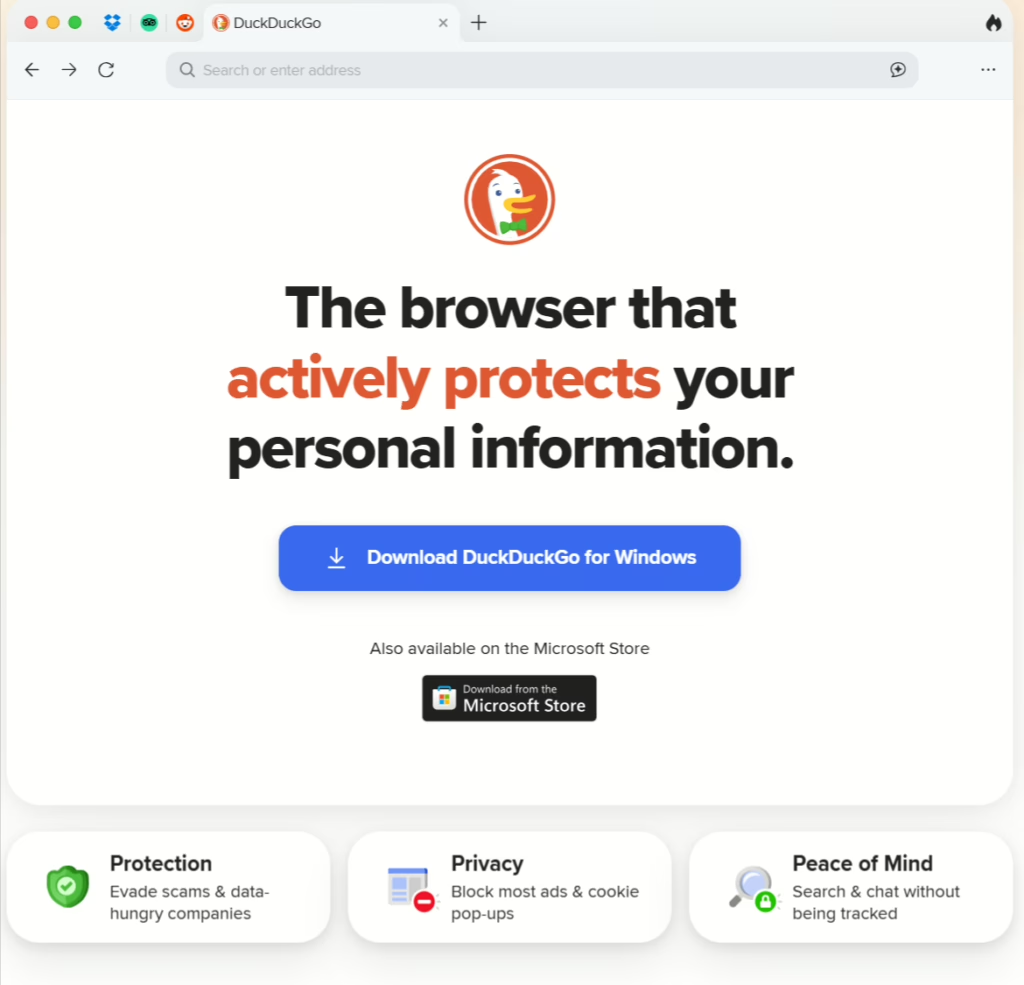
On DuckDuckGo, you type a query and get results without the feeling that the engine is studying you for later.
DuckDuckGo also offers a browser built around ease. It is clean. It is not trying to become a full “power user” browser with endless settings.
For many people, that is the appeal. It feels like a privacy tool you can hand to anyone and they will understand it in five minutes.
Which one gives you more privacy?
It depends on what you mean by privacy.
If you are tired of the feeling of being followed across websites, Brave tends to make a bigger impact on your browsing experience.
If you want searches that do not feel tied to you, DuckDuckGo tends to feel more reassuring.
This is also why many privacy conscious people do not treat this as an either-or decision.
They use a browser that limits tracking while they browse, and they use a search engine that keeps searches from being turned into a personal profile.
| Feature | Brave | DuckDuckGo |
|---|---|---|
| Primary product | Browser | Search engine |
| Also offers | Search engine | Browser |
| Main privacy strength | Blocks ads and trackers while browsing | Private searching without profiling |
| Extensions | Yes | Limited |
| Best fit | People who want a full browser with strong privacy | People who want simple private search |
That combination covers more of your real online life.
Data handling: what privacy minded readers actually want to know
If you are careful about privacy, you probably care about more than “do they track me.”
You likely care about what a service collects, stores, and potentially shares about you.
Here is the practical way to view this.
Both tools try to avoid building a personal profile
Neither Brave nor DuckDuckGo sells itself as “we follow you and monetize your identity.”
Instead, both position themselves as privacy centered tools.
However, privacy is not only about trackers. It is also about what a company can see at all.
Your biggest exposure often comes from your behavior, not the tool
If you log into Google, Facebook, Amazon, or any other major account while browsing, those companies can still learn a lot about you.
A privacy browser reduces outside tracking. It does not erase what you willingly hand to a site you log into.
So if you want the biggest privacy upgrade, pair your tools with habits like these:
- Stay logged out when you do not need to be logged in
- Use separate browsers for different parts of your life, like work and personal
- Clear cookies often, especially after shopping or researching sensitive topics
That is not fear mongering. It is just how the web works.
Open source and transparency: what you can realistically trust
Some privacy tools are open source. Others are not fully open source. Some publish detailed explanations. Others keep things higher level.
For most people, the real trust signal is this.
Do they clearly explain what they collect, why they collect it, and what they do not collect?
A privacy tool does not need to be perfect. It needs to be honest and consistent.
When you evaluate Brave or DuckDuckGo, look for:
- Clear privacy statements you can actually understand
- Plain language explanations, not vague marketing
- Regular updates and visible product changes that match the privacy claims
If a privacy tool hides behind buzzwords, you should treat that as a warning.
Limitations and controversies: the part people skip
This is important.
No privacy tool is a magical shield. Each tool has trade-offs.
Brave limitations
Brave can block a lot of trackers, but sites still find new ways to follow behavior. That is a constant tug of war.
Also, any browser that aims to do more will have more settings and options. That can overwhelm people who want a simple life online.
DuckDuckGo limitations
DuckDuckGo’s biggest strength is simplicity. That can also be its limitation.
If you want deep customization or a browser that acts like a full replacement for Chrome, DuckDuckGo’s browser may feel too minimal.
Also, even with private search, you still click into websites. Once you land on a page, that website can still try to track you. A private search engine does not automatically protect what happens after the click.
The controversies people actually talk about
This is the part you asked for, and it matters, because trust is the whole game here.
I want to be clear about something upfront.
Most controversies are not about some huge evil plan. They are about moments where users felt surprised. And privacy minded people hate surprises.
DuckDuckGo controversies
The biggest DuckDuckGo story was the one that made privacy people genuinely mad.
DuckDuckGo’s browser blocked plenty of trackers. However, some tracking tied to Microsoft still got through because of a business arrangement in the background.
I remember when that came out because our inbox was full. Clients sent pictures of their screens. The question was always the same.
Is DuckDuckGo fake, then?
No. But it was a hit on trust.
You want to believe that the privacy product you choose follows strict rules. Even a small exception can make it seem like the whole promise was just marketing.
DuckDuckGo also got into a loud argument when it said it would move some sources lower in the results, mostly because of false information during time of war. Some people thought that was a normal choice for a search engine. Some people thought it went too far.
I have a simple opinion. All search engines rank the results. None of them are really neutral. I always check more than one engine when I need to be sure. I don’t trust just one source for something important, and I tell my clients the same thing.
There is also a recurring complaint that DuckDuckGo results can feel similar to Bing. That is not a scandal, but people notice it. If you do deep research, you may want to run the same search in two places just to see what changes.
Brave controversies
Brave has its own trust bumps, and the biggest one people still bring up is the affiliate link incident.
Redditors who used Brave noticed that it could add referral codes when they typed in certain crypto sites. In simple terms, it seemed like Brave was trying to make money off of what people typed without letting them know.
That kind of move bothers privacy users more because it seems like the browser touched something it shouldn’t have.
Brave also got a lot of negative feedback from publishers at first because it blocked ads and said it would replace them with its own system. The fight was more about money and control than privacy, but it changed how some people see Brave.
Finally, some people say that Brave has too many extras. Some people really like the features. Some people think that a privacy browser should be quieter. There have been times over the years when people thought Brave pushed some of its built-in features too hard.
I think this goes back to the same idea.
People who care about privacy are fine with features. They just want to feel like they are in control.
Syncing across devices: convenience vs privacy
Sync is one of those features that feels small until you lose it.
Bookmarks, saved passwords, open tabs, and history can move between devices. That is convenient. It is also sensitive.
Brave syncing
Brave offers syncing features, which can be helpful if you use multiple devices and want a smooth workflow.
The privacy question is not “should you never sync.” The better question is “how careful are you with what you sync.”
If you sync everything, you create a larger pool of personal data. Even if it stays protected, it still exists.
A safer approach is to sync only what you truly need, like bookmarks, and keep the rest local.
DuckDuckGo syncing
DuckDuckGo tends to keep the experience simpler. If you want a browser that feels less like a “connected ecosystem,” that can be a plus.
For some privacy minded people, fewer connected features is not a missing feature. It is the whole point.
Practical setups that work
Here are three setups that fit real people, not edge cases.
Setup 1: Brave as your main browser
Use Brave for daily browsing. Let it cut down tracking and clutter.
Then pick the search engine you prefer. You can keep DuckDuckGo as your default, or you can switch depending on what you are searching for.
Setup 2: DuckDuckGo for search, whatever browser you already like
If you do not want to switch browsers today, change your search engine first.
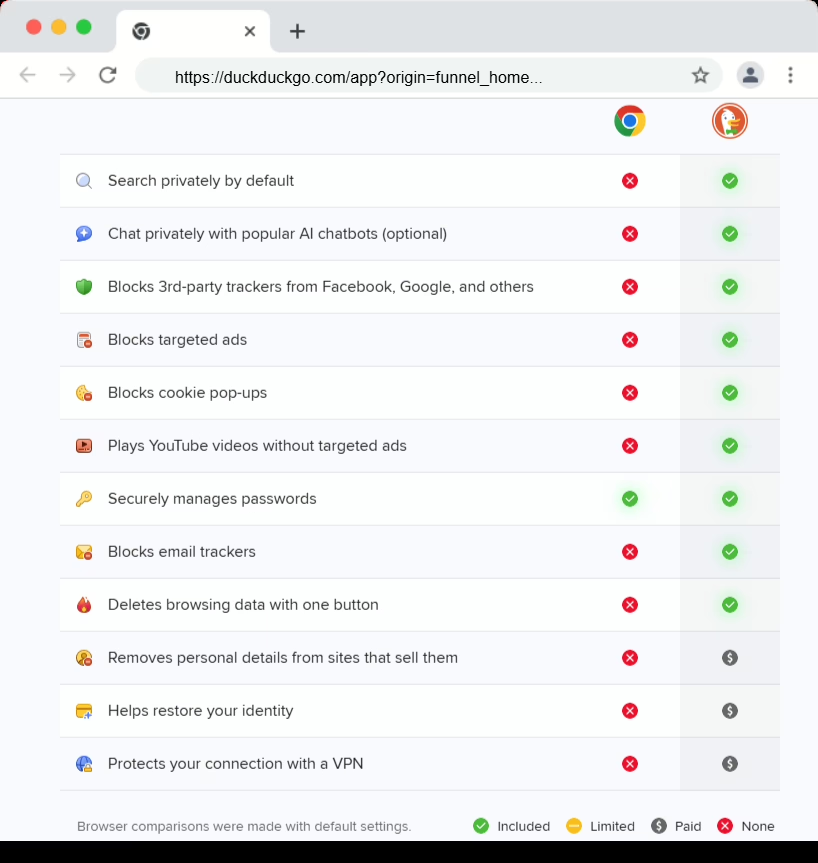
That single change can reduce how “personal” your searching feels without disrupting your routine.
Setup 3: Use both in a clean, common sense way
When you plan to spend a lot of time on a site, shop, or read a lot of pages, use Brave. Use DuckDuckGo when you want searches to feel less tied to you, especially for sensitive topics or personal questions.
This is the setup I see work most often for our clients. They get more privacy without turning it into a tech project.
So which one should you pick?
Here is the way I would answer…
If your biggest issue is how websites track you while you browse, start with Brave.
If your biggest issue is how personal searching feels, start with DuckDuckGo.
Use Brave as your browser and DuckDuckGo as your search engine for a balanced setup without overthinking.
That is what I see work best for most people, including a lot of our clients who want privacy but do not want to turn it into a hobby.

The NewReputation Help Center discusses brand reputation, online PR, search engine marketing, content marketing, and much more.