
Last Updated on 8 months ago by Admin
Imagine waking up, opening Google Analytics, and seeing your traffic cut in half.
You didn’t change your content. You didn’t mess with your site. But your rankings tanked.
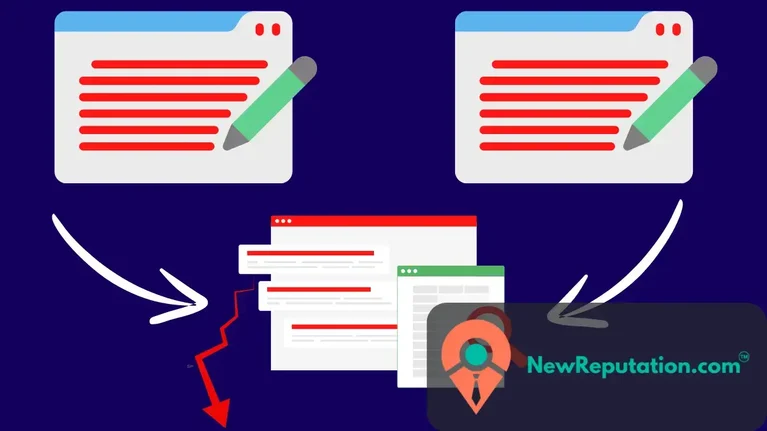
For many website owners, the hidden culprit is duplicate SEO issues: content that appears in multiple places. This issue can occur on your own site or, even more concerning, when content is copied on someone else’s site.
According to a Raven Tools analysis of over 300 million URLs, around 29% of content on the web is duplicate or near-duplicate.
If your traffic is dropping or another site is copying your content, this guide will show you:
- What duplicate content really is (and what it’s not)
- How duplicate SEO issues hurt rankings, traffic, and links
- How to diagnose duplicate content on your site and across the web
- What to do if another website is copying you
- A step-by-step action plan to fix it and protect your site long term
What Is Duplicate SEO (Duplicate Content) Really?
Duplicate content happens when the same or very similar content appears on:
- Multiple URLs on your own site, or
- Your site and other websites across the web.
This can include:
- Page copy and blog posts
- Product descriptions
- Category pages
- PDFs
- Even printer-friendly pages or URL parameter versions
Google has said for years that duplicate content doesn’t usually trigger a manual penalty on its own. But it does:
- Confuse search engines
- Dilute your rankings
- Split your backlinks
- Hurt your user experience
And all of that means less traffic and fewer conversions.
How Duplicate SEO Issues Hurt Your Rankings
Let’s break down what’s actually happening behind the scenes.
1. Search Engines Get Confused
When Google finds multiple versions of the same content, it has to decide:
“Which URL should we rank?”
If there’s no clear signal:
- Google may pick the wrong page (like a tag page, printer page, or scrapers’ site)
- Your main, original URL doesn’t get full visibility
2. Your Rankings Get Diluted
Think of SEO like voting power.
When you have duplicate versions of the same content:
- Your votes (relevance, authority, engagement) are spread across multiple URLs
- You end up with several weak pages instead of one strong, authoritative page
In competitive niches, that’s enough to drop you from page 1 to page 3.
3. Your Backlinks Lose Power
Backlinks are still one of the top ranking factors. Studies have consistently shown a correlation between the number of referring domains and higher rankings.
But with duplicate content:
- Some sites link to URL A
- Others link to URL B (or a scraper’s URL)
- Your link equity is fragmented.
Result: you might have enough links to rank #1 on Google. But they’re split across three pages, so none of them make it.
4. User Experience Takes a Hit
Users want unique, helpful, and up-to-date information.
If they keep hitting:
- Slightly different versions of the same post
- Multiple URLs that look identical
- Alternatively, a low-quality scraped copy may outrank your content.
They bounce.
And a high bounce rate combined with low engagement can be a negative signal. This makes Google less confident that your page is the best answer.
Common Causes of Duplicate SEO Problems
Here’s where most website owners get tripped up.
1. URL Variations and Parameters
Same content, different URLs:
- http://example.com/page
- https://example.com/page
- https://www.example.com/page
- https://example.com/page?ref=facebook
- https://example.com/page?sessionid=123
If these aren’t handled correctly, Google can treat them as separate pages.
2. HTTP vs. HTTPS and www vs. non-www
If your site is accessible at both:
- http://example.com and https://example.com, or
- https://www.example.com and https://example.com
…without redirects, that’s duplicate territory.
3. Printer-Friendly or PDF Versions
- /article/how-to-fix-duplicate-seo
- /article/how-to-fix-duplicate-seo?print=1
- /downloads/how-to-fix-duplicate-seo.pdf
If they’re all indexable, you’ve just created multiple competing URLs.
4. Category, Tag, and Pagination Issues
Blog and e-commerce sites are especially vulnerable:
- The same product is on multiple category pages.
- The same post was accessible via categories, tags, and search pages.
- Paginated content where intros or blocks are largely duplicated
5. Content Syndication
Republishing your content on:
- Medium
- Industry blogs or partners
…can be good for reach—but if not done right, the syndicated version can outrank you.
6. Scraped or Copied Content on Other Sites
Here’s the painful one.
You publish high-quality content. Someone else:
- Copies it word-for-word
- Spins it lightly with AI
- Republishes without attribution
And suddenly, their copy ranks above your original. We should know…
How To Diagnose Duplicate SEO Issues (Step-by-Step)
Step 1: Use Google Search Console
Go to Google Search Console and:
- Check the Pages / Indexing reports for “Duplicate, Google chose a different canonical than the user.”
- or
- “Alternate page with proper canonical tag.”
- Review URL inspection on key pages to see which URL Google considers canonical.
This tells you if Google is:
- Getting mixed signals
- Picking another URL instead of the one you want
Step 2: Run a Site Audit (SEMrush, Ahrefs, Moz, Screaming Frog)
Tools like Ahrefs Site Audit, SEMrush, or Screaming Frog can:
- Crawl your site
- Flag duplicate title tags, meta descriptions, and content
- Highlight near-duplicate pages (common with e-commerce and blogs)
Given that many mid-sized sites hide dozens or even hundreds of duplicate URLs, regular audits are non-negotiable.
Step 3: Search for Copies of Your Content
You have a few options:
- Copyscape or Siteliner – to detect copies of your pages across the web.
- Manual Google search – copy a unique sentence or paragraph and wrap it in quotes in Google.
If you see another domain using your content word-for-word or very closely, you’ve got a scraping/copying problem.
How To Fix Duplicate SEO Issues On Your Own Site
Here’s the practical part.
1. Pick and Enforce a Canonical Version
You need one master URL for each piece of content.
Actions:
- Pick HTTPS as your standard (Google has used HTTPS as a lightweight ranking signal since 2014).
- Choose www or non-www and redirect the other to it.
- Implement 301 redirects from all non-preferred versions to the preferred one.
2. Use Canonical Tags Properly
Add a <link rel=”canonical” href=”https://example.com/preferred-url” /> tag in the <head> of:
- Pages with URL parameters (tracking, filters, sessions)
- Printer-friendly versions
- Paginated content where appropriate
Canonical tags tell Google:
“These versions exist, but this is the one that should get the credit.”
3. Control Indexing With Noindex
For pages that shouldn’t appear in search at all, use:
<meta name=”robots” content=”noindex,follow” />
Great candidates:
- Internal search result pages
- Tag archives with thin or duplicate content
- Filtered product lists that don’t add unique value
4. Consolidate Thin or Overlapping Content
If you have multiple weak pages targeting similar keywords:
- Combine them into one comprehensive, authoritative guide
- 301 redirect the old URLs to the new master
This is one of the fastest ways to:
- Clean up duplicate issues
- Boost topical authority
- Improve rankings for competitive keywords
5. Standardize Internal Linking
Internally, always point to the canonical URL.
For example, don’t alternate between:
- /blog/duplicate-seo-guide and
- /blog/duplicate-seo-guide?utm_source=sidebar
Consistent internal linking reinforces to Google which page is your primary one.
What To Do If Another Website Is Copying Your Content
If your traffic has dropped after someone copied you, follow this playbook.
Step 1: Prove You’re the Original
Gather:
- CMS publishes dates.
- Sitemap history
- Screenshots from tools like Wayback Machine or your backups
These help show you published first.
Step 2: Strengthen Your Original Page
Send Google strong signals that your version is the authoritative one:
- Improve and update the content (add stats, visuals, FAQs)
- Build a few high-quality backlinks specifically to that page
- Ensure your technical SEO is clean (speed, mobile, canonical, internal links)
Step 3: Reach Out To the Site Owner
Send a polite but firm email:
- Point out the copied content
- Request they remove it or add a canonical tag pointing to your URL
- Offer a short excerpt with a link back, if you’re open to that
Many smaller site owners will comply if approached professionally.
Step 4: File a DMCA Complaint (If Needed)
If they ignore you or refuse:
- File a DMCA takedown request with their hosting provider.
- Submit a legal removal request to Google so the infringing URL is removed from search results.
This protects both your brand and your SEO.
How To Prevent Duplicate SEO Issues Going Forward
Think of this as your ongoing defense system.
- Set technical rules early – canonical structure, redirects, index/noindex rules.
- Audit regularly – run a site audit every 3–6 months.
- Standardize content workflows – clear URL structures, avoid multiple similar posts targeting the exact same keyword.
- Use proper syndication practices:
- Ask partners to use rel=”canonical” pointing to your original article, or
- Have them add a clear “originally published at” link to your page.
- Scraping should be monitored regularly using Copyscape or manual Google searches.
Conclusion: Duplicate SEO Is Fixable
Duplicate SEO issues are scary because they’re often invisible. You only see the result: traffic dropping, rankings slipping, and other sites outranking you with your content.
But the good news is:
- Most duplicate issues are fixable with clear technical signals (canonicals, redirects, noindex).
- You can reclaim lost rankings by consolidating content and strengthening your original pages.
- When other sites copy you, you’re not powerless. You have both SEO and legal tools to fight back.
If you’re seeing unexplained traffic drops or suspect someone is copying your content, start by:
- Auditing your site for internal duplicate issues
- Checking for external copies of your top pages
- Implementing canonical, redirect, and noindex fixes
- Taking action against scrapers when necessary
Do that, and you’ll stop bleeding traffic – and put your site in a much stronger position to grow.
Need help with SEO? Contact NewReputation. We help website owners fix SEO issues and improve rankings.

The NewReputation Help Center discusses brand reputation, online PR, search engine marketing, content marketing, and much more.