
If an Instagram account is harming you, spreading lies, impersonating you, or violating the rules, you are not powerless.
Instagram removes hundreds of thousands of accounts each month.
However, this occurs only after a user properly submits a complaint.
The following is a step-by-step guide to removing an Instagram account, whether it is yours or someone else’s.
This includes how Instagram assesses reports, common reasons reports fail, and when it is appropriate to escalate the problem.
When Instagram Removes Accounts
Instagram will not remove an account simply because the content posted is perceived as unfair or upsetting. To initiate an account removal, the content posted must violate either Instagram’s Community Guidelines or Terms of Service.
The most common types of accounts that are removed due to Community Guidelines violations include:
- Impersonation
- Bullying or harassment
- Hate speech or threats
- Nudity or sexual exploitation
- Fraud, scams, or spam
- Copyright or trademark violations
- Multiple repeated violations of Community Guidelines
If the account clearly fits into one of the above categories, the likelihood of removal increases significantly.
How to Report an Instagram Account for Removal
The first step is to use Instagram’s report function to report an account that belongs to someone else. Instagram uses both automated processes and manual moderation when reviewing reports to determine whether the reported content violated the Community Guidelines or Terms of Service.
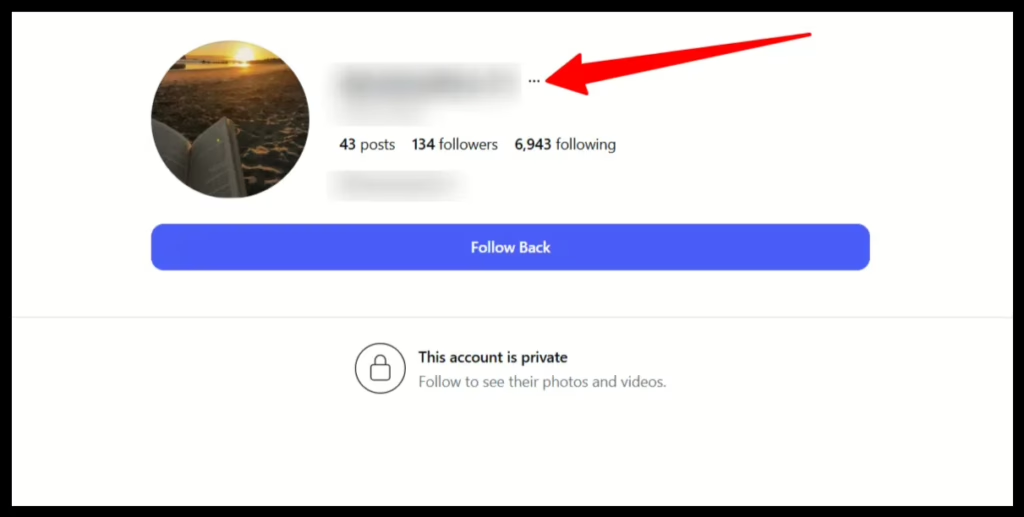
Start With the Specific Content
Navigate to the offending content in the Instagram application. The offending content can be a post, reel, story, comment, or profile. Always report the most obvious violation. Reporting content that does not represent the most obvious violation reduces the strength of your claim.
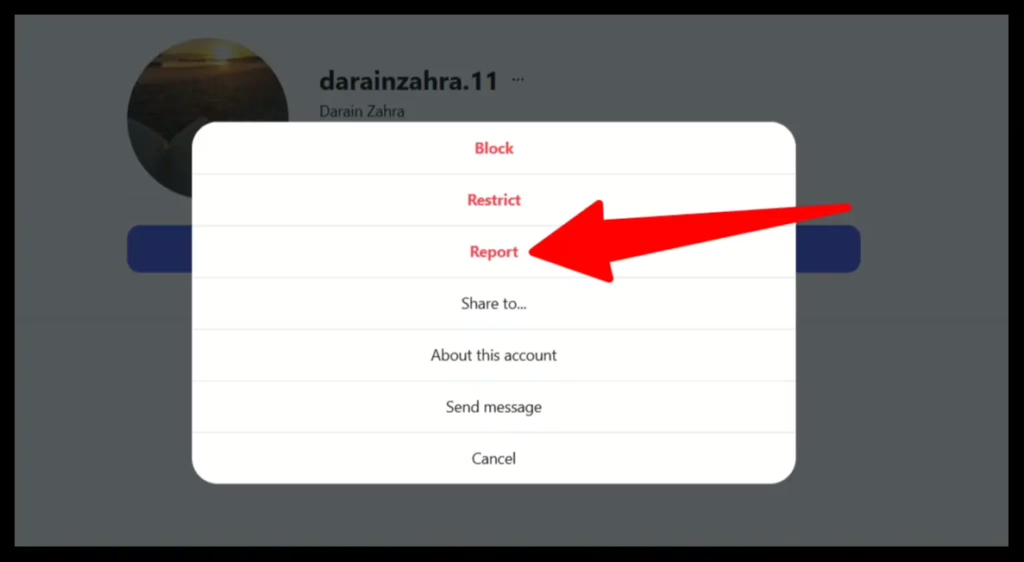
Access the Report Function
Click the three dots in the top right corner of the offending content or profile and select “Report” from the menu. Accessing the report function opens the Instagram reporting flow.
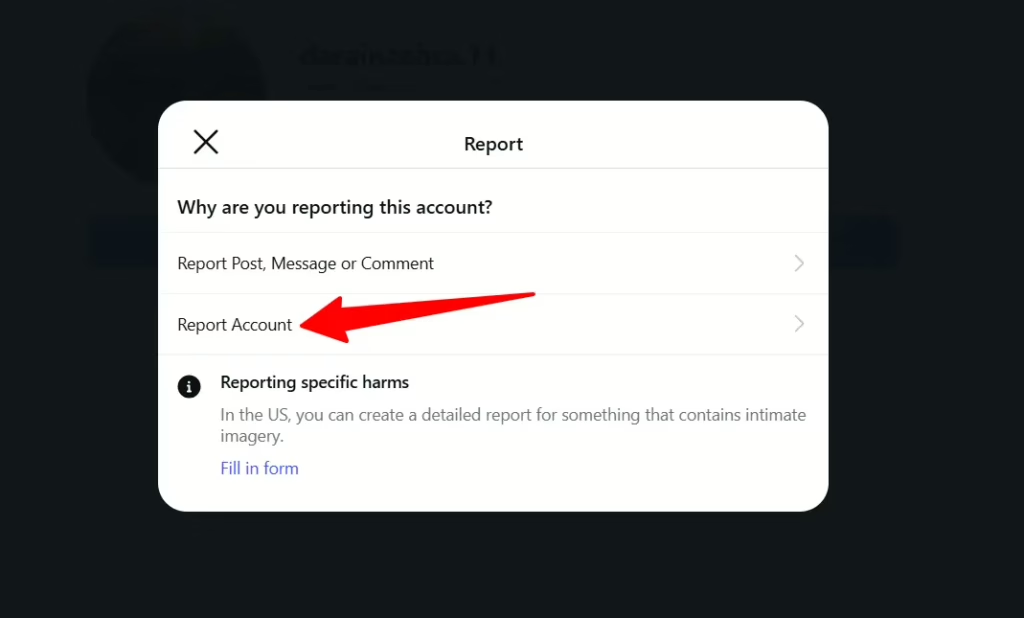
Select the Appropriate Violation Category
Many reports fail at this step. Instagram evaluates content only against the selected violation category. Choose the category that best represents the type of violation you believe occurred. Do not exaggerate or guess.
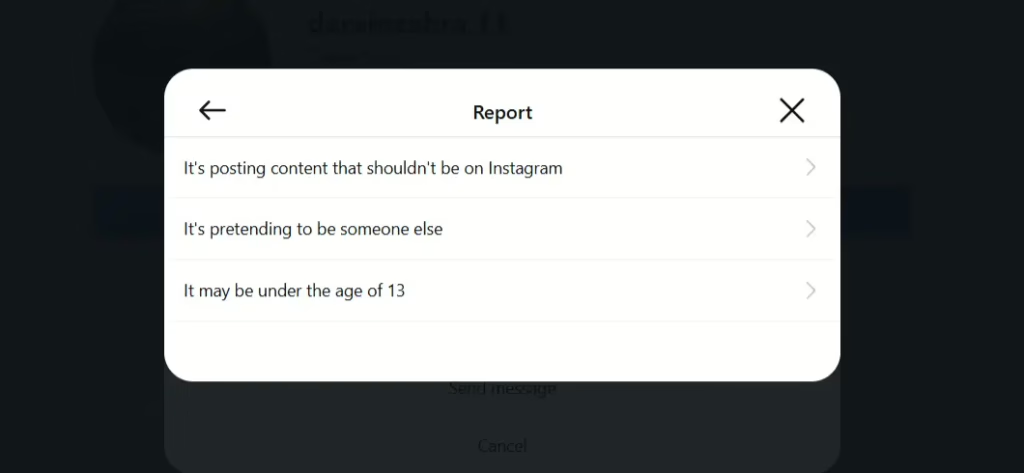
Instagram provides several violation categories for reporting, such as nudity, hate speech or violence, harassment or bullying, impersonation, scams or fraudulent activity, and intellectual property infringement. If the violation category selected does not accurately reflect the type of violation, Instagram will likely take no action.
Follow the Instagram Prompts
Instagram will request additional information for certain types of reports, particularly those involving impersonation or harassment. Respond to requests clearly and truthfully. In some cases, Instagram will request identity confirmation or additional documentation.
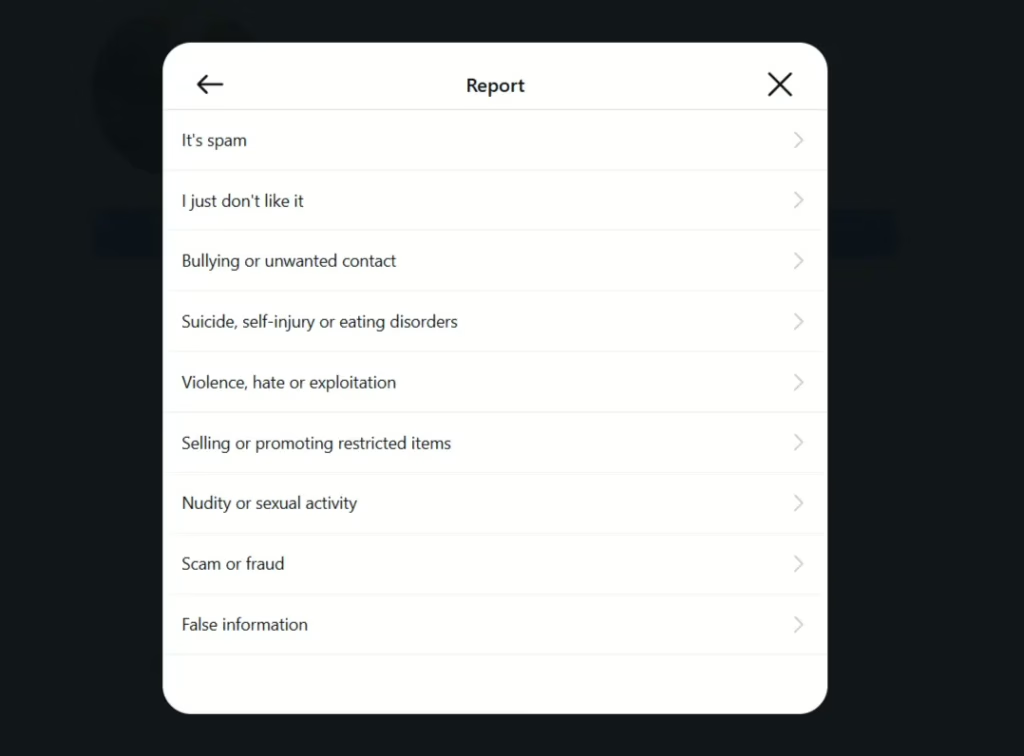
Once a report is submitted, Instagram will evaluate it and determine whether to take action against the account.
Reporting an Impersonation Account
Impersonation is typically one of the strongest reasons for Instagram to remove an account.
An account qualifies as impersonation if it uses your name, photos, branding, or identity in a way that causes viewers to believe the account is yours or your company.
- Find the impersonating profile
- Click the three dots
- Select “Report”
- Choose “Impersonation”
- Identify whom the account is claiming to be
- Complete the identity verification process if requested
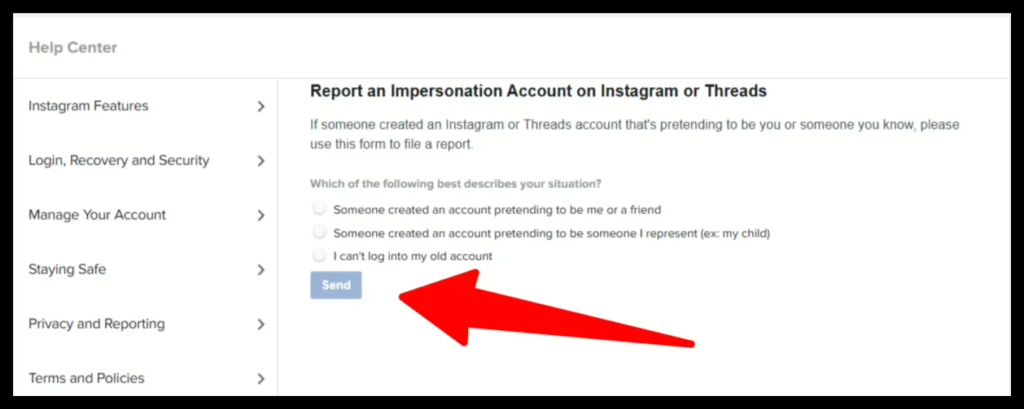
If you can clearly demonstrate impersonation, Instagram will typically remove the account.
Reporting Harassment, Bullying, and Hate Speech
Instagram will remove accounts for abusive behavior, particularly when it is repetitive or targeted at a single individual.
Examples include threats, slurs, organized harassment, or posts calling for harm. A single post may be removed individually, but repeated violations greatly increase the likelihood of a full account takedown.
When reporting harassment, focus on the content itself. Avoid lengthy explanations or emotionally charged language. Instagram evaluates the message content, not personal background or history.
Reporting Fraud, Scam, and Phishing Accounts
Correct reports often result in the swift removal of scam and fraud accounts.
Typical examples include accounts that impersonate companies, promote fake investment opportunities, send phishing messages, or advertise deceptive products or services. If an account appears to intentionally deceive users, report the profile and select the “Scam or Fraud” category.
Providing supporting evidence, such as messages or links, when requested, can help expedite review.
Reporting Copyright and Trademark Violations
Copyright and trademark complaints can be effective, but only when they are legitimate.
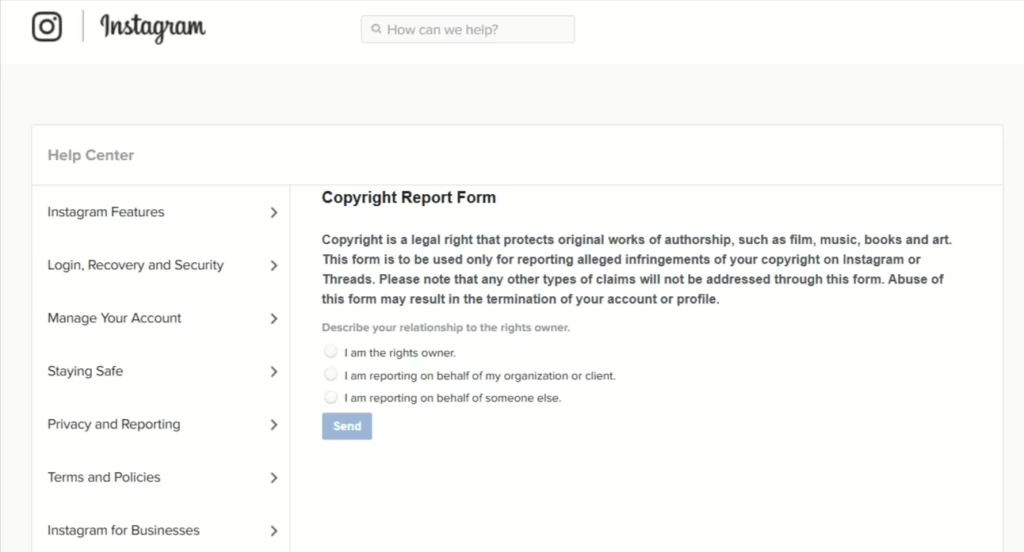
If an account posts content you own, such as photos, videos, logos, or written material, without permission, you can file a complaint through Instagram’s formal copyright or trademark reporting process. These complaints require detailed information and should only be filed when ownership can be proven.
Why Many Instagram Complaints Fail
Many users submit complaints successfully but still see no action taken. This usually results from preventable mistakes.
Common errors include selecting the wrong violation category, reporting content that does not technically violate the guidelines, submitting vague or complaint-driven descriptions, or filing a single report when violations are ongoing.
Instagram enforces rules, not fairness. Understanding this is critical.
How Long Does It Take Instagram to Remove an Account?
There is no fixed timeline. Some scam accounts are removed within hours. Impersonation or harassment cases often take several days. Borderline accounts may receive no action.
Multiple infractions matter. Over time, accounts that consistently report guideline violations are more likely to face removal.
Removing Your Own Instagram Account
If you want to remove your account, reporting is not required. Instagram allows permanent deletion through account settings.
To remove your account:
- Log in to your Instagram account
- Open Settings and Privacy
- Open Accounts Center
- Open Personal Details
- Select Account Ownership and Control
- Choose Deactivate or Delete
- Select the account and confirm deletion
After deletion is initiated, Instagram applies a 30 day deactivation period. If you log in during that time, the deletion will be canceled. After 30 days, the account is permanently removed along with all associated data.
Deactivating vs Deleting
Deactivation temporarily hides your account and allows you to reactivate at any time. Deletion permanently removes the account and all associated data.
Deactivation is recommended for temporary breaks or uncertainty. Deletion is preferred for complete removal and reduced online exposure.
What to Do If Instagram Refuses to Remove the Account
Even when a complaint is valid, Instagram may decline to take action.
In these cases, further steps may be necessary. This can include reporting additional violations, documenting patterns of abuse, reducing the account’s visibility, or addressing the issue outside of Instagram.
Long term harassment, impersonation, or reputational damage often requires a broader approach.
When Using Professionals Makes Sense
Some Instagram issues extend beyond standard reporting. Coordinated attacks, fake profiles across multiple platforms, defamation, or identity theft often require formal escalation.
NewReputation helps clients identify valid takedown strategies, accurately document violations, and reduce visibility when removal is not possible.
Not every Instagram account can be removed.
But every situation has options.
Conclusion
If you understand how to have an Instagram account removed, you understand how Instagram enforces its policies.
When done correctly, Instagram will take action. When it does not, there are still effective ways to protect your reputation and regain control.

Kevin Curran is the founder and CEO of NewReputation, a renowned online reputation management firm. He is also the co-founder of ReputationPrivacy, a platform designed to help individuals manage their digital footprint effectively. Kevin has worked with diverse clients, including Fortune 500 companies, high-profile executives, and small business owners, to establish an authentic online presence that accurately represents their brand.