
Last Updated on 8 months ago by Admin
Changing your company name is a big move. It can signal growth and open new doors. However, it can also create confusion if customers feel surprised or unsure.
The difference rarely comes down to the logo.
It comes down to how clearly you explain the change, and how well you guide people through it.
This guide walks you through a practical, step by step way to announce a name change. It avoids jargon. It focuses on the questions customers actually ask.
1. Start with the real reason behind the change
Before you write a single line of your announcement, answer one question:
Why are we changing our name, and why now?
If you cannot explain it in one or two simple sentences, your audience will not understand it either. And when people don’t understand a change, they assume the worst.
Common reasons companies change their name:
- The business outgrew its original focus
- The old name no longer fits the current service
- The company expanded into new markets
- The name feels hard to spell, remember, or say
- A legal or trademark issue forced the change
Example (using NewReputation as a scenario):
NewReputation started as a reputation management service. Over time, it expanded into long term brand building: visibility, trust, and growth. A new name would help reflect that broader mission.
A simple “why” statement you can copy:
We’re changing our name because [plain reason]. Our new name reflects [what we do now / where we’re going].
That becomes the backbone of everything else.
2. Tell people in the right order
Many companies rush into a public announcement first. That often backfires.
Instead, think in circles. Start close. Then move outward.
A smart rollout order looks like this:
- Internal team
- Key clients and partners
- Existing customers and email list
- Public channels (website, social, press)
Why this order works:
- Your team needs the story first, because customers will ask them questions.
- Your key clients deserve a heads up. It builds trust and prevents awkward surprises.
- Your broader customer base should hear it from you, not from a random invoice.
- Your public channels should reinforce a message people already heard.
This approach feels like a steady rollout, not a sudden flip.
3. Build one core message that covers four points
Name change announcements get messy when they wander. Keep yours anchored to four things:
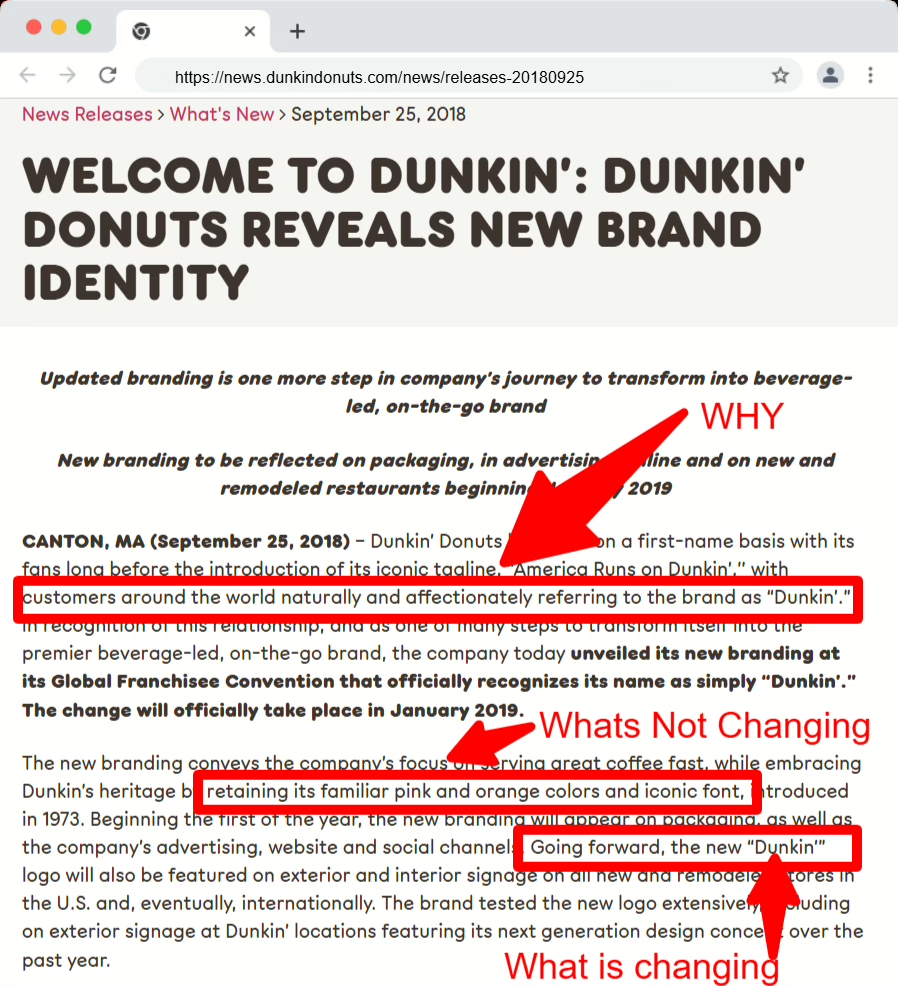
- What’s changing
- What’s not changing
- Why you’re changing
- What happens next
Here’s what that looks like.
What’s changing
Be direct:
We’re changing our company name from NewReputation to [New Name].
If needed, you can add:
- New logo and visual style
- New website domain
- New email addresses
What’s not changing
This is the reassurance section. People care about:
- Their point of contact
- Pricing
- Service quality
- Contracts and access
- Ownership and leadership
Example:
You’ll still work with the same team. Your services and pricing stay the same. Only the name and branding will change.
Why you’re changing
Keep it honest and simple:
We’ve grown beyond our original focus. Our new name matches the work we do today and the direction we’re building toward.
What happens next
Tell people what to expect, and what they need to do.
If they don’t need to do anything, say so clearly. That line alone reduces anxiety.
4. Use a structure that stays clear from start to finish
Here’s a clean structure you can use for an email, blog post, or LinkedIn announcement:
- Short opening
- The change in one sentence
- The reason
- Reassurance (what stays the same)
- Practical details (timeline, domain, email, documents)
- What you want people to do (if anything)
- A simple close
If any section starts to sound like a legal notice, rewrite it. Your goal is clarity, not formality.
5. A sample public announcement you can adapt
Headline: We’re changing our name
Today we’re sharing an important update: NewReputation is becoming [New Name].
When we started, our focus was simple. We helped people and businesses improve how they show up online. Over time, our work expanded. Today we help clients build long term visibility, trust, and growth.
Our new name reflects who we are now and where we’re going next.
What’s staying the same
- The same team
- The same ownership and leadership
- The same services and pricing
- The same commitment to results
You’ll still work with the same people in the same way. Your contracts and access stay the same.
What’s changing
- You’ll start seeing [New Name] on our website and documents
- Our website will move from newreputation.com to [new domain]
- Our email addresses will change to name@[newdomain].com
(emails to our old addresses will still reach us during the transition)
Timeline
- Today: We announce the change
- This week: Our website and social profiles begin updating
- This month: Emails, invoices, and documents fully switch over
What you need to do
You don’t need to do anything right now. Everything will continue to work as usual.
If you have questions, reply to this message or contact us at [support email].
Thank you for being part of our journey so far. We’re excited for what’s next.
– The NewReputation Team (soon to be [New Name])
6. Tailor the message for different audiences
One announcement rarely fits everyone. Start with the core message, then adjust it.
Internal team
Give your team:
- The full “why”
- The timeline
- Three simple phrases they can use when customers ask questions
- A short FAQ they can reference
You want every employee to answer confidently, not improvise.
Key clients and partners
They mainly want reassurance:
- Will my contract change?
- Will invoices look different?
- Do I need to update payment details?
- Did you get bought?
Answer those directly. If the legal entity stays the same, say so.
Public channels
Keep it shorter and more story driven.
A simple social version:
NewReputation is becoming [New Name].
We started with online reputation support. Now we help clients build long term visibility, trust, and growth. Our new name reflects that evolution.
Same team. Same values. Clearer direction.
Also add a website banner for at least a few weeks:
NewReputation is now [New Name]. You’re in the right place. Only our name has changed.
That line prevents confusion fast.
7. Share a clear timeline to reduce support tickets
People don’t just want to know what changed. They want to know when.
Call out key moments, such as:
- The first day invoices show the new name
- The date the new domain becomes primary
- How long old emails will keep working
Clarity now prevents chaos later.
8. Add a short FAQ and keep it visible
A name change triggers predictable questions. Answer them upfront.
Are you changing owners?
No. Ownership and leadership stay the same.
Will my contract still be valid?
Yes. Existing agreements remain valid.
Will pricing or services change?
No. This change only affects our name and branding.
Do I need to update anything?
Not right now. We’ll share clear instructions if anything changes later.
Is my data still safe?
Yes. Our systems and policies stay the same.
9. Keep the tone human
Customers don’t want corporate filler. They want a clear explanation from real people.
A line like this helps:
We know this may take a moment to get used to. It did for us too. That said, the new name fits who we’ve become, and we’re excited to grow into it.
Warm language builds confidence. It makes the change feel intentional, not suspicious.
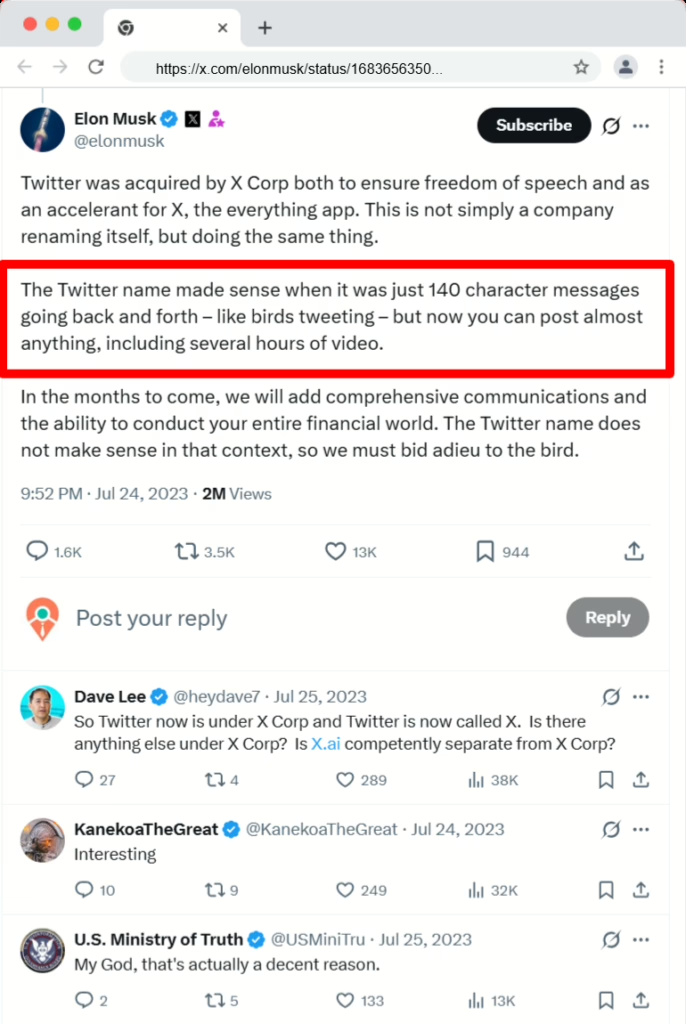
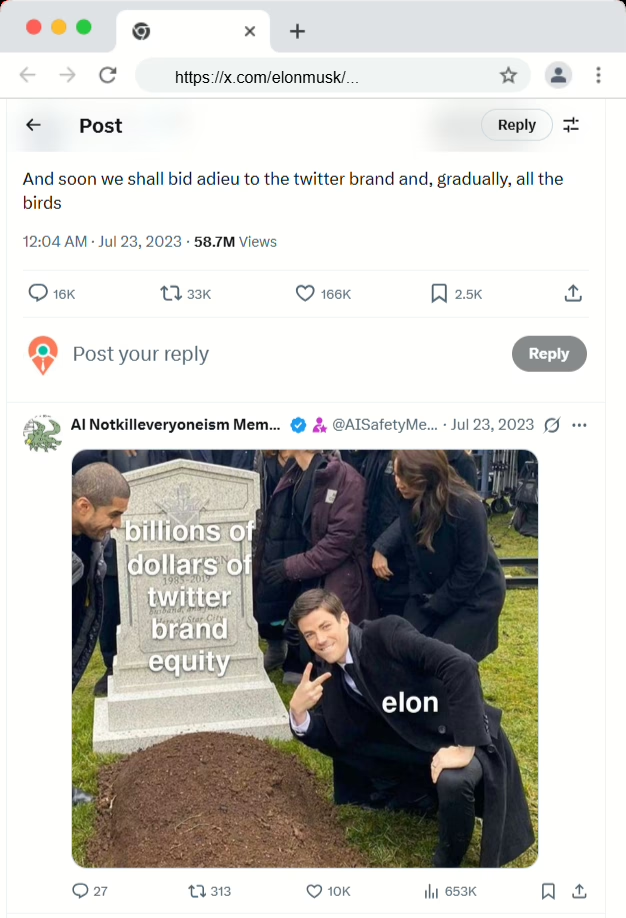
Sometimes, the message can be abrupt. Like tearing off a Band-Aid. Like this example from Elon Musk announcing the Twitter to X rebranding.
10. Repeat the message more than once
One announcement won’t reach everyone. People miss emails. They skim. They take vacations.
Plan a simple repetition loop:
- One main email
- One blog post with the full story
- Several social reminders over a few weeks
- A website banner for a month
- A short note in invoices or email signatures during the transition
You aren’t spamming people. You’re preventing confusion.
11. Turn the name change into a story people can follow
A name change isn’t just a technical update. It’s a chance to explain:
- Where you started
- What customers pushed you to improve
- What changed in your work
- Why this new name fits the next chapter
When you tell that story well, people don’t just accept the new name. They support it.
12. Real‑World Examples of Successful Name Changes
We’ve seen this kind of shift many times with well‑known brands.
Here are three examples and what you can learn from them.
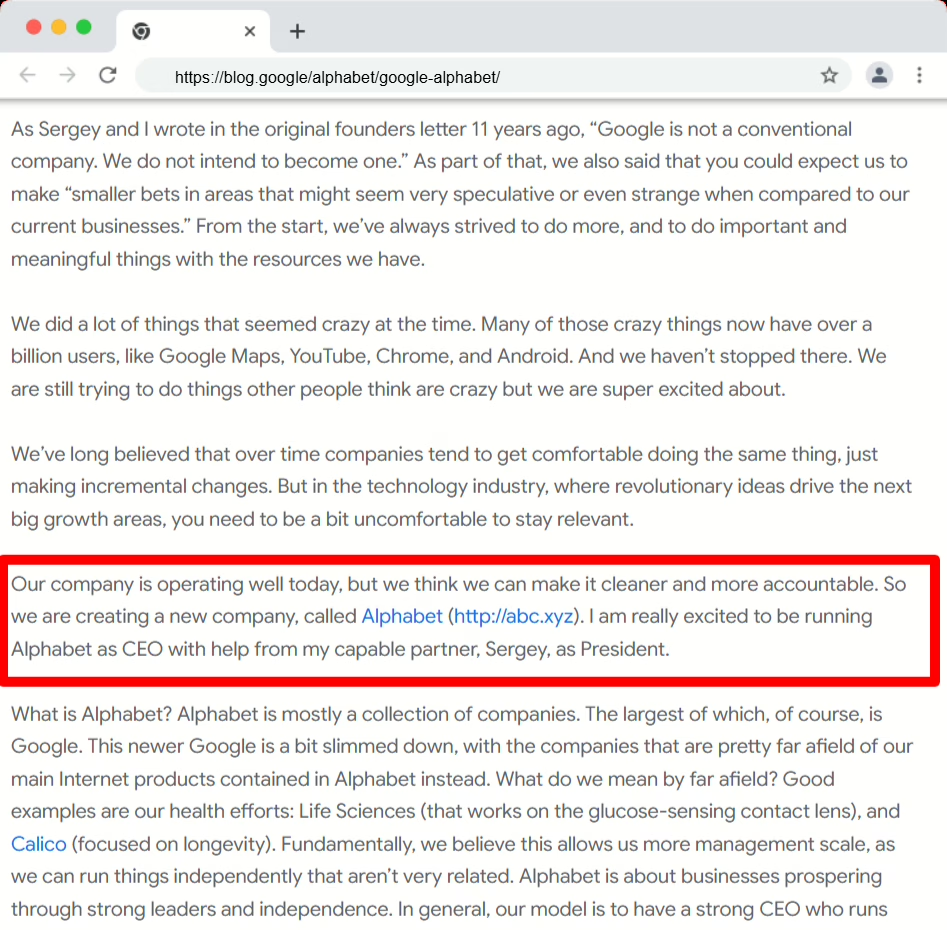
1: Google to Alphabet
In 2015, Google created a new parent company called Alphabet.
Google had grown far beyond search. It included:
- Android
- YouTube
- Hardware (like Pixel phones)
- “Moonshot” projects (like self‑driving cars and health tech)
The Alphabet structure made it clear: Google was now part of a larger group of businesses, not the whole story.
Larry Page published a simple, straightforward letter. He explained:
- Why the new structure existed
- How it would help them invest in more ambitious projects
- What would and wouldn’t change for users
Use your name change to signal how your company has grown and what you’re building next—not just a new logo.
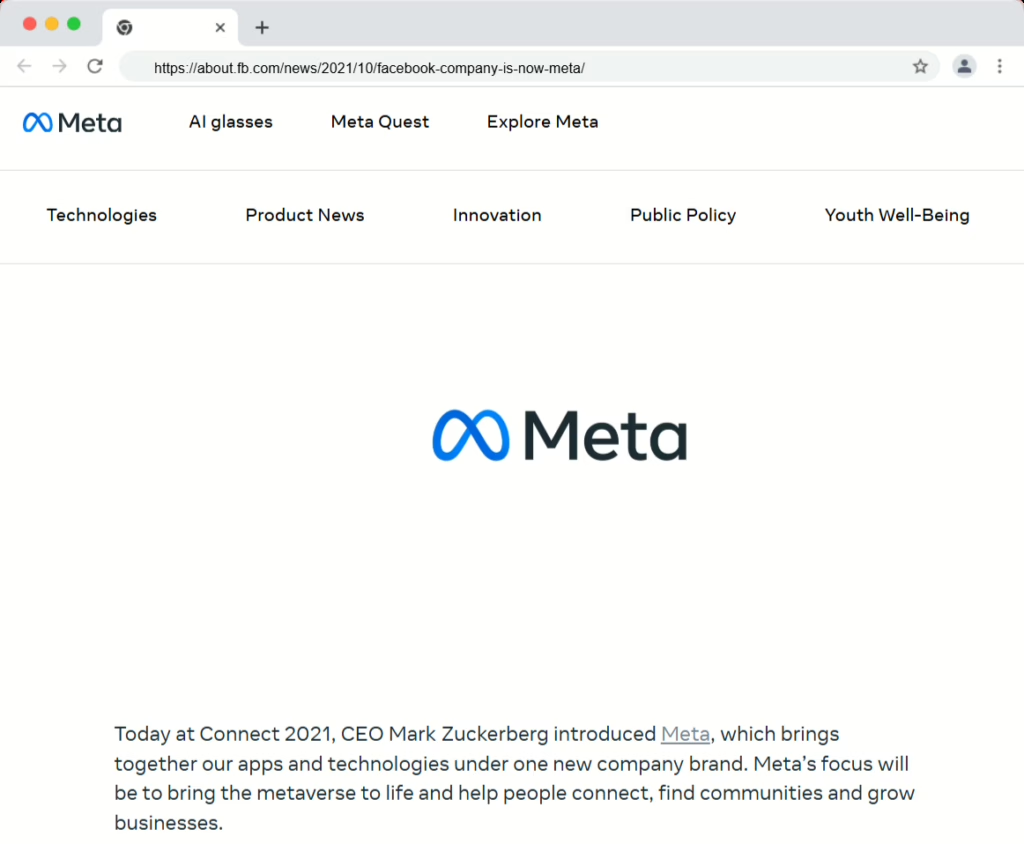
2: Facebook to Meta
In 2021, Facebook changed its parent company name to Meta.
They wanted to be known for more than social networking. Their focus shifted toward:
- Virtual and augmented reality
- The “metaverse” concept
- A broader range of products beyond the Facebook app
- A detailed founder presentation explaining the vision
- A new name and logo
- Clear messaging that apps like Facebook, Instagram, and WhatsApp would keep their existing names
If your ambition has outgrown your original name, use the announcement to explain your long‑term vision in clear, concrete terms.
3: Apple Computer to Apple Inc.
In 2007, Apple dropped “Computer” from its name and became Apple Inc.
Apple was no longer just a computer company. At that point, they had:
- The iPod
- A fast‑growing digital music business
- The soon‑to‑launch iPhone
Steve Jobs explained the name change by pointing out that Apple now made “a lot more than computers.” It was a simple but powerful signal of a broader direction.
Sometimes a small change (like dropping one word) can tell a big story about how your company has evolved.
Final checklist
Before you announce:
- Write your “why” in 1 to 2 plain sentences
- Decide the rollout order
- Align your team on the story and talking points
When you announce:
- Say what’s changing and what isn’t
- Share a simple timeline
- Include a short FAQ
- Keep the language warm and clear
After you announce:
- Repeat the message across channels
- Keep old domains and emails working for a meaningful period
- Track questions and update your FAQ
If you lead with clarity and reassurance, customers won’t wonder what happened. They’ll simply understand where you’re going.