
Last Updated on 3 hours ago by Admin
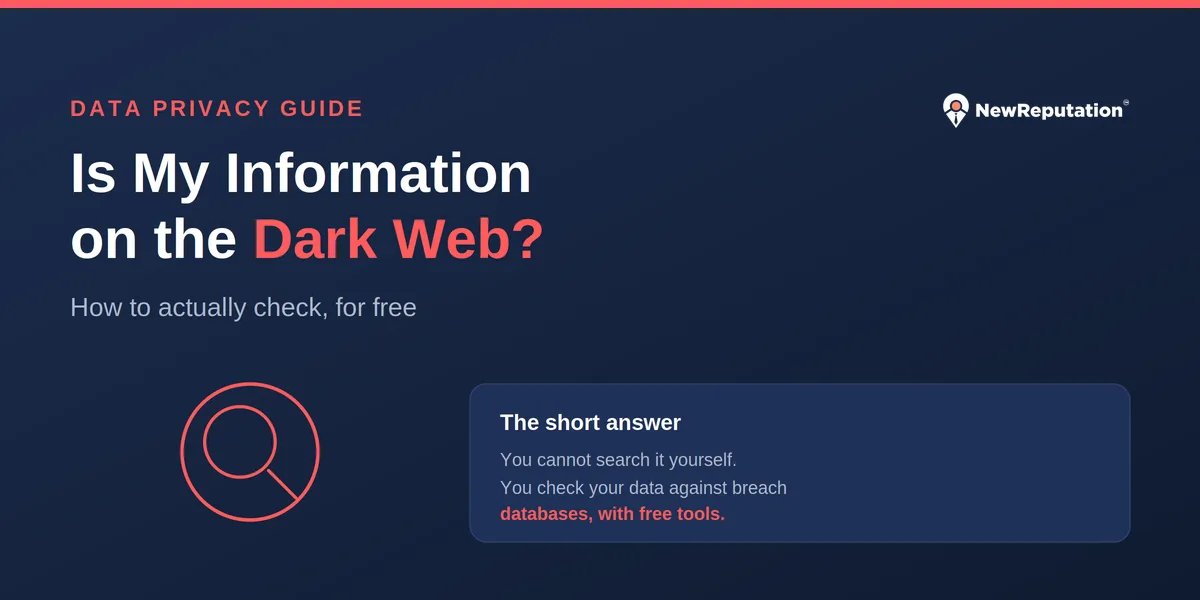
You cannot browse the dark web to look for yourself, and you should not try. Every legitimate “dark web check” actually matches your details against the breach databases that leaked data comes from. Use free tools like Have I Been Pwned and Mozilla Monitor to see which breaches exposed your email, password, or phone number. Also watch for warning signs: login alerts you did not trigger, verification codes you did not request, a surge in spam, or unfamiliar accounts and charges. Note that Google shut down its free Dark Web Report in early 2026, so that option no longer exists.
This is one of the most searched privacy questions, and most of the answers online are wrong in the same way: they tell you to “scan the dark web,” as if you could point a tool at it and see your data. That is not how it works, and understanding why is what actually lets you check effectively. The real picture is simpler, free to act on, and more useful once you see it clearly.
Table of Contents
- The honest truth: you cannot search the dark web
- How to actually check, free, step by step
- Why Google’s free dark web tool is gone
- Warning signs your information is already out there
- What these checks can and cannot tell you
- What to do if you find your information exposed
- Why checking is only half the job
- Frequently asked questions
The Honest Truth: You Cannot Search the Dark Web
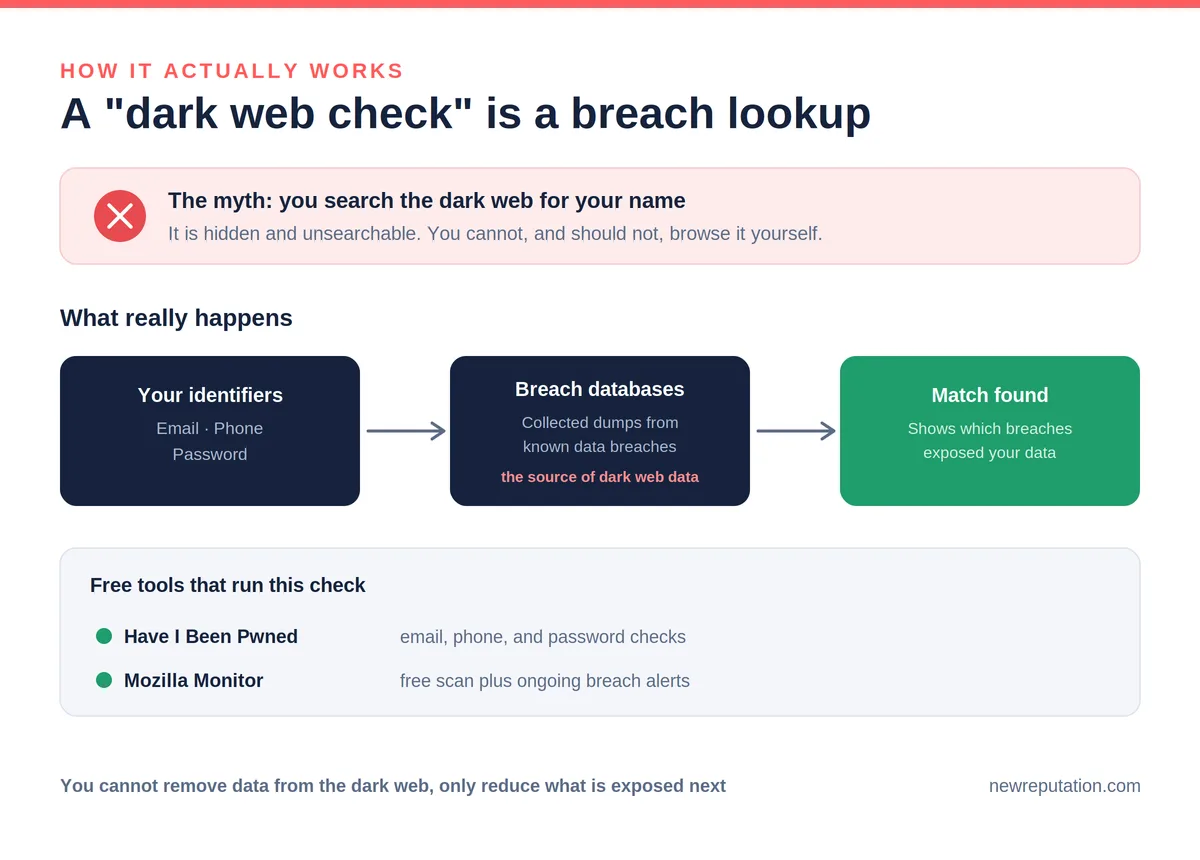
The dark web is not a searchable place. There is no index, no search bar, and the marketplaces where stolen data is traded are deliberately hidden, access-controlled, and constantly moving. You cannot type your name into the dark web and see what is there, and trying to explore it yourself through a browser like Tor is both unproductive and risky.
So what are all those “dark web scans” actually doing? They are checking your email address, phone number, or passwords against large databases of data that has already leaked in known breaches. When criminals breach a company, the stolen records circulate in dumps and on dark web markets, and security researchers collect copies of those dumps. A “dark web check” compares your details to that collected breach data and tells you where you turned up. Our explainer on what the dark web is covers the landscape in more depth.
You are not searching the dark web. You are checking whether your information appeared in a breach that fed the dark web. That distinction is why the free tools below work just as well as most paid “dark web monitoring,” which runs the same kind of breach-database matching.
How to Actually Check, Free, Step by Step
You can cover most of what a paid service would find in about ten minutes, for free, with reputable tools. Here is the order that catches the most.
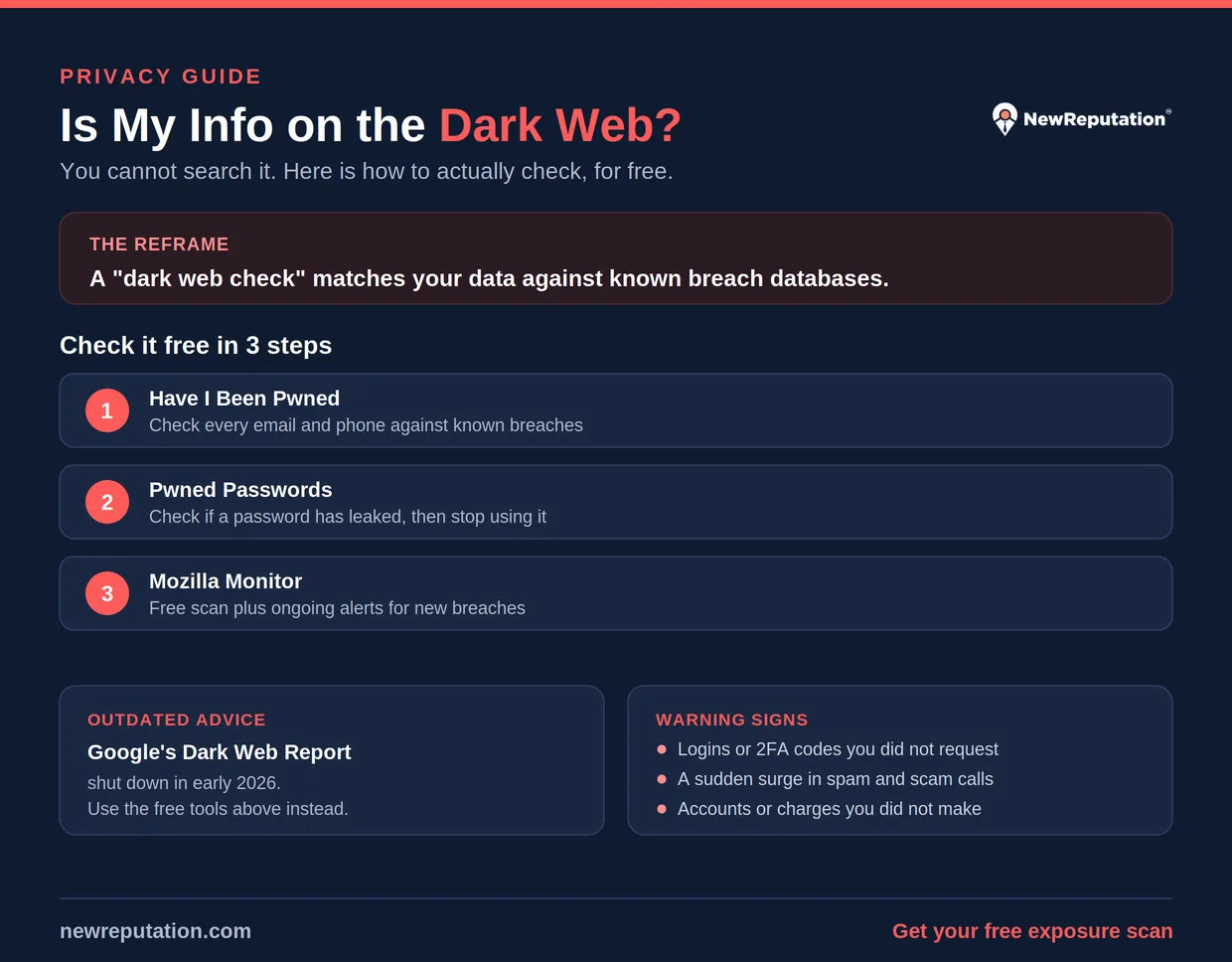
- Check your email and phone on Have I Been Pwned. Go to haveibeenpwned.com, enter each email address and phone number you use, and it lists the known breaches that exposed them, along with what data leaked in each. It is free, well established, and run by security researcher Troy Hunt. Start here.
- Check your passwords. On the same site, the Pwned Passwords tool tells you whether a specific password has appeared in any breach. If one has, stop using it everywhere immediately. A leaked password is the single most dangerous item to ignore.
- Run Mozilla Monitor for a fuller summary. Mozilla Monitor, formerly Firefox Monitor, scans the same breach data (it uses the Have I Been Pwned database) and gives you a clear breakdown by email, plus ongoing alerts if you sign up. The free scan is the useful part; its paid tier adds data broker removal.
- Use the checker built into tools you already have. Most password managers and many banks and credit cards now include breach or dark web alerts at no extra cost. Turn them on. If you use Google Password Manager, its Password Checkup flags saved passwords that have leaked.
Some free dark web scanners are lead magnets that exist mainly to upsell you, and a few bundle their results from the same public breach data you can check yourself. Stick to established, independent tools like the two above, and be skeptical of any site that asks for your Social Security number just to run a check.
Why Google’s Free Dark Web Tool Is Gone
If you read an older guide, it probably tells you to use Google’s Dark Web Report, which was free to anyone with a Google account. That advice is now outdated. Google stopped monitoring for new results on January 15, 2026, and the existing reports became unavailable on February 16, 2026. The feature is gone.
Google’s own explanation was that the report “did not provide helpful next steps,” and it pointed users toward its Security Checkup, Password Checkup, and the “Results about you” tool, which requests removal of your contact information from Google Search rather than scanning for breaches. The practical takeaway: do not rely on Google for this anymore, and treat any guide still recommending its Dark Web Report as out of date.
Warning Signs Your Information Is Already Out There
Tools catch exposure after a breach is cataloged, but your accounts often show symptoms first. Any of these is a sign your data is being used, and it matters more than any single scan result.
- Login or security alerts you did not trigger, especially from new devices or unfamiliar locations.
- Two-factor or verification codes you did not request, which mean someone has your password and is trying to get in.
- A sudden surge in spam, phishing, or scam calls and texts, often targeted with details about you, which suggests your contact info is circulating.
- Notifications about accounts or credit lines you did not open, a classic sign your identity is being used.
- Unfamiliar charges or withdrawals, however small, which fraudsters often test with before larger theft.
- Password reset emails you did not ask for, meaning someone is probing your accounts.
What These Checks Can and Cannot Tell You
Understanding the limits keeps you from a false sense of security, which is the real danger.
| A breach check can | A breach check cannot |
|---|---|
| Tell you which known breaches exposed your data | See private sales or closed forums no researcher has collected |
| Show what type of data leaked (email, password, phone) | Remove any of it from the dark web, which is not possible |
| Prompt you to change exposed passwords | Guarantee you are safe if it finds nothing |
| Alert you to new breaches if you subscribe | Stop the next breach from happening |
A clean result means your data has not appeared in the breaches researchers have cataloged. It does not prove your information is nowhere on the dark web, because no tool sees all of it. Treat a clean check as reassuring, not as a guarantee.
See What Is Public About You Right Now
Breach data is only part of your exposure. The data brokers and people-search sites publishing your name, address, and phone are what feed future breaches, and those you can actually clean up. NewReputation’s free scan shows where you are listed.
- Find the sites exposing your personal information
- See what a stranger finds when they look you up
- Free scan, no obligation
What to Do If You Find Your Information Exposed
Finding your data in a breach is common and not a cause for panic, but it does call for a few concrete steps, in order of priority.
- Change the exposed password immediately, and anywhere else you reused it. Reuse is what turns one leak into many compromised accounts.
- Turn on two-factor authentication on the affected account and your important accounts. A leaked password is far less dangerous behind a second factor.
- Use a password manager so every account has a unique password, which contains the damage of any future leak to one account.
- If a card or bank detail leaked, contact the bank and replace the card, and watch statements closely.
- If your Social Security number leaked, place a free credit freeze with the three bureaus, which blocks most new-account fraud.
- Track down old accounts holding your data. Our guide on finding every account tied to your email helps you close the forgotten ones that keep your information in circulation.
These are the same response steps that matter whether a free tool or a paid service flags the exposure. For the fuller playbook on monitoring, see our guide on whether dark web monitoring is worth it.
Why Checking Is Only Half the Job
Checking tells you what already leaked. It does nothing to reduce how much of your information is exposed going forward, and that is where the real protection is. The less of your data that sits in public people-search sites and data brokers, the less there is to be scraped, bundled, and swept into the next breach.
That is the difference between watching and acting. A breach check is a rear-view mirror; removing your information from the sites that publish it shrinks the target. For the full routine, see our guides on how to remove personal information from the internet and the step-by-step digital footprint removal guide.
Frequently Asked Questions
Can I search the dark web for my own information?
No, not in any practical or safe way. The dark web is not indexed or searchable, and its marketplaces are hidden and access-controlled, so there is no way to type in your name and see your data. Trying to explore it yourself through Tor is risky and will not give you answers. What works instead is checking your email, phone, and passwords against known breach databases using free tools like Have I Been Pwned and Mozilla Monitor, which is what every legitimate “dark web scan” actually does.
What is the best free way to check if my information was leaked?
Start with Have I Been Pwned, which lets you check any email address or phone number against known breaches for free and shows what data leaked in each. Also use its Pwned Passwords tool to check specific passwords. Mozilla Monitor provides a similar free scan using the same breach data and can send ongoing alerts. Many password managers, banks, and credit cards also include free breach alerts you can turn on. Together these cover most of what paid services report.
Is Google’s dark web report still available?
No. Google stopped monitoring for new results on January 15, 2026, and existing reports became unavailable on February 16, 2026, so the feature no longer exists. Google said the report did not give users helpful next steps and pointed people to its Security Checkup, Password Checkup, and the “Results about you” tool instead. If a guide still tells you to use Google’s Dark Web Report, it is out of date. Use Have I Been Pwned or Mozilla Monitor for breach checks instead.
Can I remove my information from the dark web?
No. Once data has been stolen and copied across dark web markets, it cannot be deleted or recalled, and no legitimate service can remove it. Be skeptical of any company claiming it can. What you can control is the fallout and the future: change exposed passwords, freeze your credit if your Social Security number leaked, and reduce how much of your information is publicly available in data brokers and people-search sites so there is less to steal next time.
Does a clean dark web check mean I am safe?
Not entirely. A clean result means your information has not appeared in the breaches that researchers have collected and cataloged. It cannot see private sales, closed forums, or breaches no one has obtained a copy of, so it is reassurance rather than a guarantee. Treat it as a good sign, keep monitoring enabled for new breaches, and focus on prevention, such as unique passwords, two-factor authentication, and reducing your publicly exposed data.
How often should I check if my information is on the dark web?
Checking once or twice a year is reasonable for most people, plus any time you hear that a company you use was breached. A better approach than manual rechecks is to enable ongoing breach alerts through a free tool like Mozilla Monitor or your password manager, so you are notified automatically when your data appears in a new breach instead of remembering to look. Pair that with reducing your exposed data so there is less to find over time.
Shrink the Target Before the Next Breach
You cannot delete data from the dark web, but you can remove your information from the public sites that feed the breaches. NewReputation removes you across hundreds of data brokers and people-search sites and monitors so it stays down.
- Removal across hundreds of sites, handled for you
- Less public data means less to end up in a breach
- Ongoing monitoring so it does not resurface
This article provides general information about privacy and security and is not legal or financial advice. If you believe you are a victim of identity theft, report it at IdentityTheft.gov.

West Virginia alumni with a background in marketing and sales for both established companies and startups.