
Last Updated on 4 months ago by Admin
You deleted a page from your website, but it still shows up on Google. This can feel frustrating, especially if the page has old prices, private information, a bad review, outdated services, or content you no longer want people to see.
The good news is that this is normal. Google does not always remove deleted pages right away. In many cases, the page is gone from your website, but Google is still showing an older saved version in search results.
In this guide, we will explain why deleted pages still show on Google, how long removal can take, and what you can do to speed up the process. If you are trying to remove more than one result, you may also want to read our guide on how to delete content from the internet.
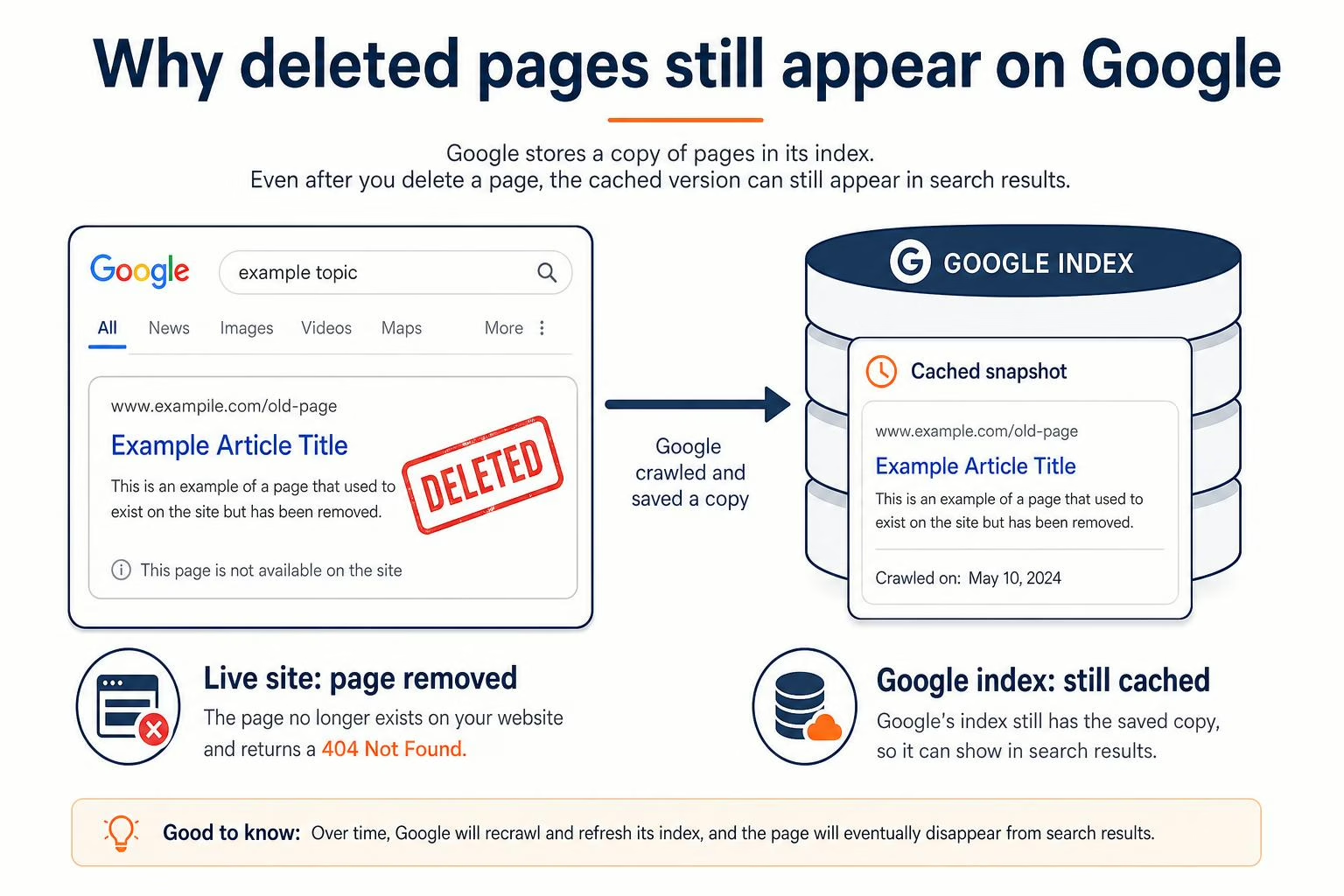
Table of Contents
- Why deleted pages still show up on Google
- Common reasons a deleted page still appears
- What status code should a deleted page show?
- How long does removal take?
- How to remove a deleted page faster
- What if the page is on someone else’s website?
- What if the page shows personal information?
- Deleted page removal checklist
- FAQs
Why Deleted Pages Still Show Up on Google
Google does not search the live internet every time someone types in a query. Instead, Google crawls websites, stores information in its index, and shows results from that index.
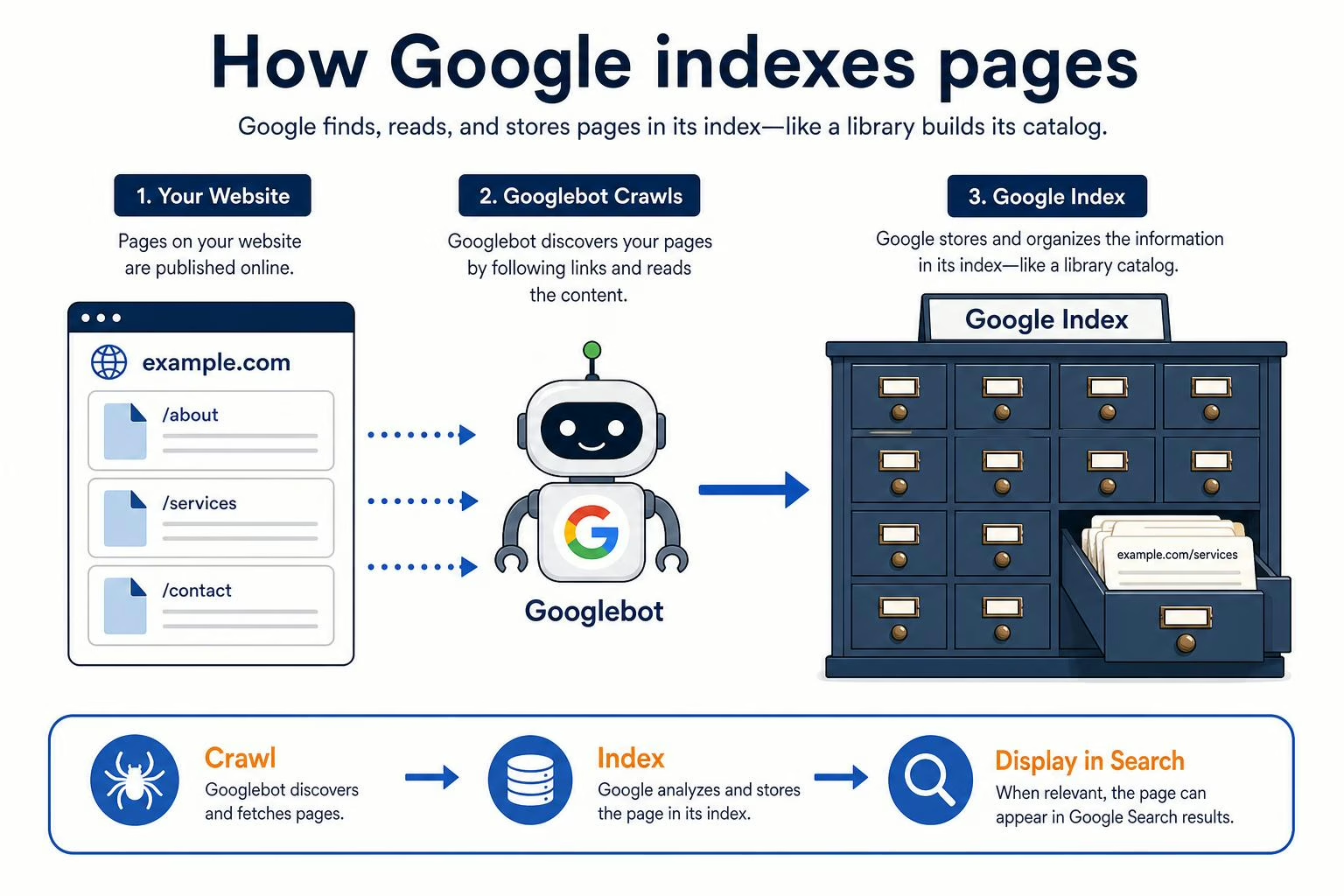
That means a deleted page can still appear if Google has not crawled your site again yet.
Think of Google like a library. If you remove a book from the shelf, the library catalog may still list it until someone updates the record.
This is also why your digital footprint can last longer than expected. Old pages, profiles, images, and snippets can stay visible even after you delete the original content.
Common Reasons a Deleted Page Still Appears
1. Google Has Not Crawled the Page Again Yet
This is the most common reason.
You may delete a page today, but Google may not revisit that URL for days or weeks. Until Google crawls it again and sees that the page is gone, the old result may stay visible.
2. The Page Is Cached
Google may show a cached or saved version of a page. This can make it look like the page is still active, even after you removed it from your website.
Cached pages usually disappear after Google updates its index, but this can take time.
3. The Page Was Not Fully Deleted
Sometimes a page looks deleted, but it still exists.
This can happen if:
- The page was removed from the menu but not deleted
- The URL still loads if someone visits it directly
- A draft, tag, category, or attachment page still exists
- A redirect points users to a similar page
If the URL still returns a working page, Google may keep it in search results.
4. The Page Redirects Somewhere Else
If a deleted URL redirects to another page, Google may keep showing the old URL for a while.
This is common after website redesigns or page updates.
Redirects are useful when you move content. However, if you want the old page fully removed, a redirect may slow that process.
5. Other Sites Still Link to the Page
If other websites link to your deleted page, Google may keep checking it. Links tell Google that a URL may still matter.
This does not mean the page will stay forever. But strong backlinks can keep Google interested in the URL longer.
6. The Page Is Blocked by Robots.txt
This surprises many people.
If you block Google from crawling a deleted page with robots.txt, Google may not be able to see that the page is gone.
As a result, the old URL can remain in search results longer.
If you want Google to remove a deleted page, it usually needs to be able to crawl the URL and see a proper removal signal.
Deleted Page Still Showing in Google?
NewReputation can review the URL, check why it is still visible, and help create a plan to remove, deindex, or suppress outdated search results.
- Check if the page is live, cached, redirected, or indexed
- Identify the right Google removal path
- Build a cleanup plan for old or harmful results
What Status Code Should a Deleted Page Show?
When a page is deleted, it should return the right status code.
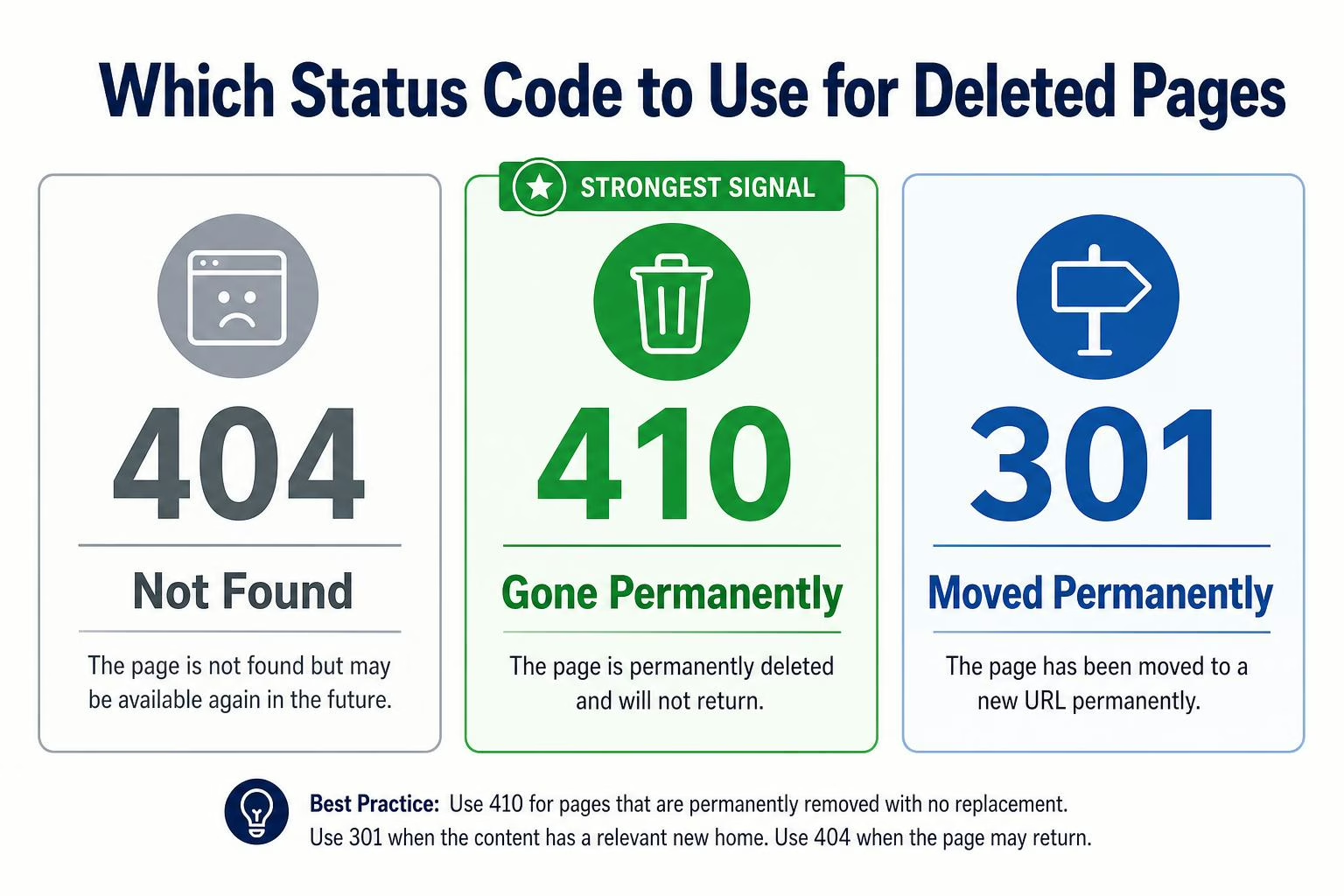
- 404: The page is not found.
- 410: The page is gone permanently.
- 301: The page has moved permanently to another URL.
If you want a page removed from Google, a 404 or 410 is usually best.
A 410 can send a stronger signal that the page is permanently gone.
How Long Does It Take Google to Remove a Deleted Page?
There is no exact timeline.
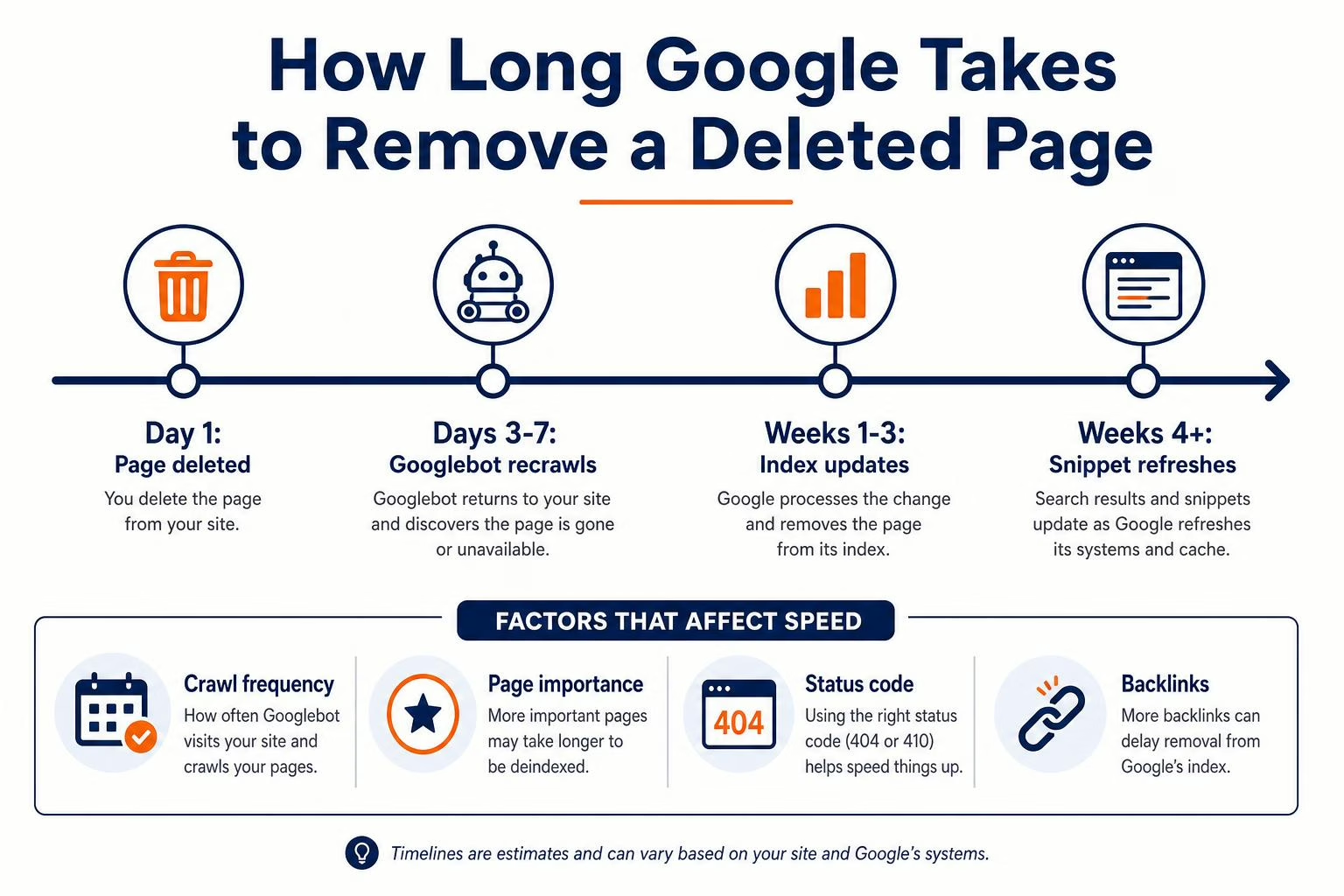
In many cases, Google updates deleted pages within a few days to a few weeks. For low-traffic or older pages, it may take longer.
The timeline depends on:
- How often Google crawls your site
- How important the page was
- Whether the URL returns a proper 404 or 410
- Whether other sites still link to it
- Whether you submit a removal request
How to Remove a Deleted Page From Google Faster
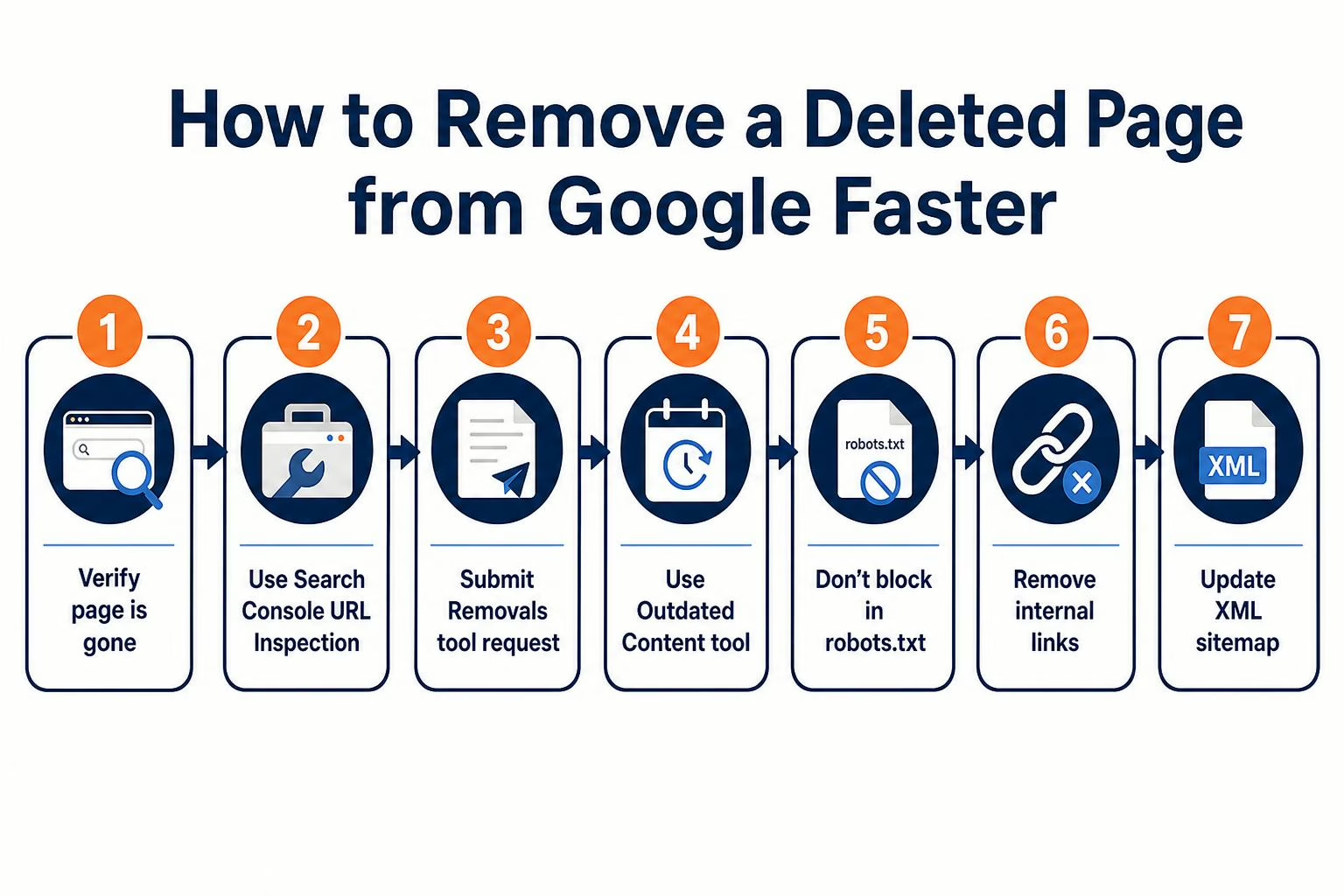
Step 1: Check If the Page Is Really Gone
Open the exact URL in your browser.
If the page still loads, it has not been deleted. You need to remove it from your website first.
If it shows a 404 or 410 error, that is a good sign.
Step 2: Use Google Search Console
If you own the website, log in to Google Search Console.
Then use the URL Inspection Tool to check the deleted page.
You can ask Google to recrawl the URL. Once Google sees that the page is gone, it can update search results.
Step 3: Use Google’s Removals Tool
Google Search Console includes a Removals tool.
This can temporarily hide a URL from Google search results while Google updates its index.
This is helpful when the page contains sensitive, outdated, or unwanted information. For a deeper walkthrough, read our guide on removing content online from Google search.
Step 4: Use the Outdated Content Removal Tool
If you do not own the website, you may still be able to ask Google to refresh or remove outdated content.
This works best when:
- The page has already been deleted
- The content was changed but Google still shows the old version
- The cached result shows outdated information
Step 5: Make Sure the Page Is Not Blocked
Do not block Google from crawling the deleted URL too soon.
Google needs to see that the page returns a 404 or 410. If the page is blocked, Google may not confirm that it is gone.
Step 6: Remove Internal Links
Check your website for links pointing to the deleted page.
Remove those links or update them to point to a better page.
This helps users and search engines understand that the old page is no longer important.
Step 7: Update Your Sitemap
If the deleted page is still in your XML sitemap, remove it.
Your sitemap should only include live pages that you want Google to find and index.
What If the Deleted Page Is on Someone Else’s Website?
If the page is on another website, you do not control the removal directly.
Start by contacting the site owner and asking them to delete or update the page.
If they remove it, you can then ask Google to update the search result.
If they refuse, you may need to look at other options, such as privacy removal requests, legal requests, or reputation management strategies.
For a broader plan, see our digital footprint removal guide.
What If the Deleted Page Still Shows Personal Information?
If the Google result shows your address, phone number, email, or other personal details, you may have more options.
Google has tools that allow users to request removal of certain personal information from search results.
This can help if the page exposes sensitive data or creates a privacy risk.
Old personal information can create long-term issues. Learn more about the consequences of a digital footprint and why cleanup matters.
What If the Page Is Gone but the Search Snippet Still Shows Old Text?
Sometimes the page is updated or deleted, but Google still shows the old title or description.
This happens because Google has not refreshed the snippet yet.
You can request a recrawl in Google Search Console or use Google’s outdated content removal tool.
Can You Remove a Deleted Page Permanently?
Yes, but it depends on the situation.
If the page is deleted from your site and returns a 404 or 410, Google should eventually remove it from search.
If the page is copied on other websites, those copies must be handled separately.
That is why it is important to search your name, brand, or page title after removal. You may find duplicates on other sites.
If your goal is to reduce what appears for your name overall, you may also want to ungoogle yourself and remove unwanted listings from as many sources as possible.
What If the Deleted Page Was a Facebook Page?
Facebook pages can keep showing in Google for the same reason website pages do. Google may still have the old page stored in its index.
First, make sure the Facebook page was actually deleted and not just unpublished. If it is still active, Google may continue showing it.
If you need help with this process, read our guide on how to delete a Facebook page.
If you plan to keep the page instead of deleting it, make sure it supports your reputation. This guide on how to optimize your Facebook can help.
Deleted Page Removal Checklist
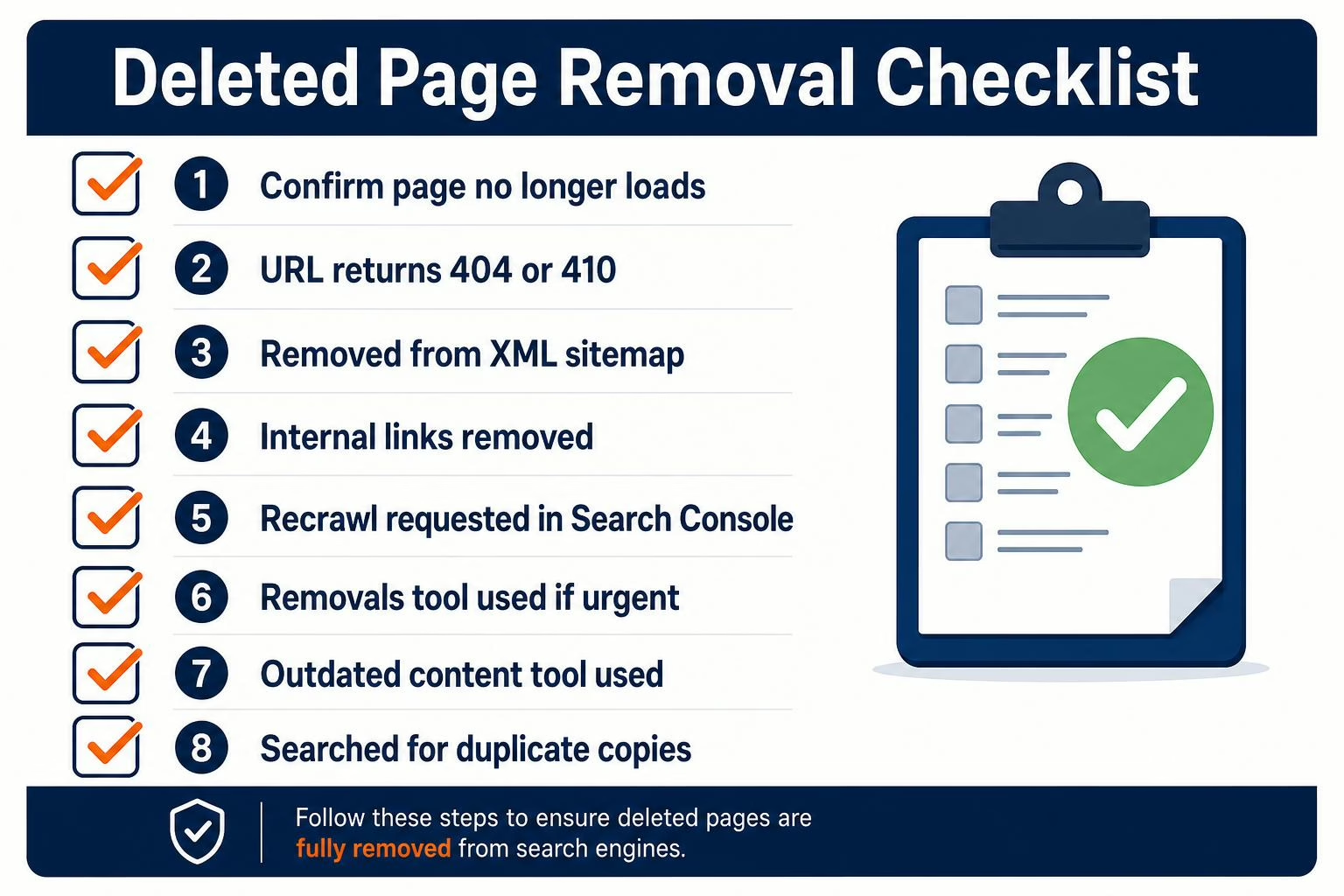
- Confirm the page no longer loads
- Make sure the URL returns a 404 or 410
- Remove the URL from your sitemap
- Remove internal links to the deleted page
- Request a recrawl in Google Search Console
- Use the Removals tool for urgent cases
- Use the outdated content tool if you do not own the site
- Search for duplicate copies elsewhere
When to Get Help
You may need help if the deleted page still ranks after several weeks, contains personal information, appears on a site you do not control, or affects your job, business, or reputation.
A reputation management team can help identify why the result is still showing and build a plan to remove, deindex, or suppress it.
You can also start with a full cleanup plan using our guide to clean up your online presence. The goal is not only to remove bad results. It is to create a positive digital footprint that helps people find accurate and current information about you.
Need Help Removing Old Google Results?
If deleted pages, cached results, or outdated snippets are still showing in Google, NewReputation can help you understand the issue and take the right next step.
- Review deleted URLs and outdated search results
- Help with Google removal and deindexing strategy
- Improve your search results with stronger content
FAQs
Why is my deleted page still on Google?
Google may not have crawled the page again yet. Until Google sees that the page is deleted, it may keep showing the old result.
How long does Google take to remove a deleted page?
It often takes a few days to a few weeks. Some pages take longer, especially if Google does not crawl the site often.
Can I force Google to remove a deleted page?
You can request faster removal through Google Search Console or the outdated content removal tool. However, Google still needs to process the request.
Should I use a 404 or 410 for deleted pages?
Both can work. A 410 sends a stronger signal that the page is permanently gone.
Why does Google still show old text after I updated a page?
Google has not refreshed the page snippet yet. Requesting a recrawl can help speed this up.
What if the page is deleted but still appears in images?
Google Images can take longer to update. Make sure the image file is removed too, not just the page that displayed it.
Final Thoughts
A deleted page does not always disappear from Google right away.
That does not mean the removal failed. It usually means Google has not updated its index yet.
Start by checking the URL, using the right status code, and requesting a recrawl. If the page contains private or harmful information, use Google’s removal tools as soon as possible.
With the right steps, most deleted pages can be removed from Google search results over time.

West Virginia alumni with a background in marketing and sales for both established companies and startups.