Last Updated on 14 minutes ago by Admin
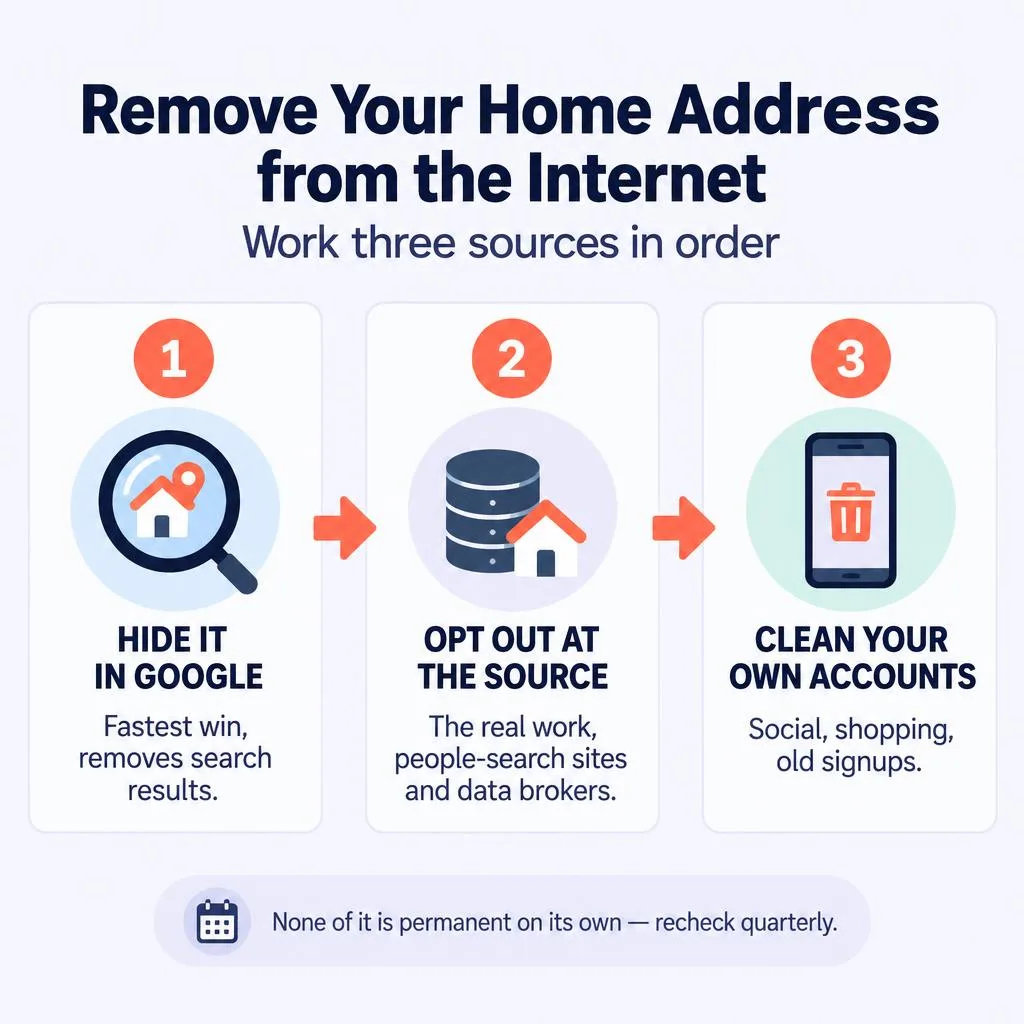
To remove your home address from the internet, work three sources in order: ask Google to hide the search results that show your address, opt out of the people-search sites and data brokers that publish it, and clean the address off your own social and shopping accounts. Google can hide a result quickly, but your address stays online until you remove it at the source, so the opt-outs are the part that actually pulls it down. None of it is permanent on its own, which is why this guide also covers how to keep your address off for good.
Your home address is one of the most sensitive pieces of information about you, because it connects your online life to your physical location. It is the detail that matters most in stalking, harassment, and identity theft. The good news is that most of the places it appears can be cleaned up with free steps, and you do not need to do all of it at once. Start at the top and work down.
Do not rely on opt-outs alone, which take time. Contact law enforcement, and look into your state’s Address Confidentiality Program, covered near the end of this guide, which gives survivors of stalking, domestic violence, and sexual assault a legal substitute address. The National Domestic Violence Hotline (1-800-799-7233) can help you plan safely.
Table of Contents
- How your address ends up online
- Step 1: Find where your address appears
- Step 2: Hide it in Google search
- Step 3: Opt out at the source
- Step 4: Property records, realtor sites, and maps
- Step 5: Clean your own accounts
- Step 6: Keep it off for good
- If you have serious safety concerns
- Frequently asked questions
How Your Address Ends Up Online
Your address flows into public view through several independent channels, and each one feeds the others. Knowing the sources tells you where to aim.
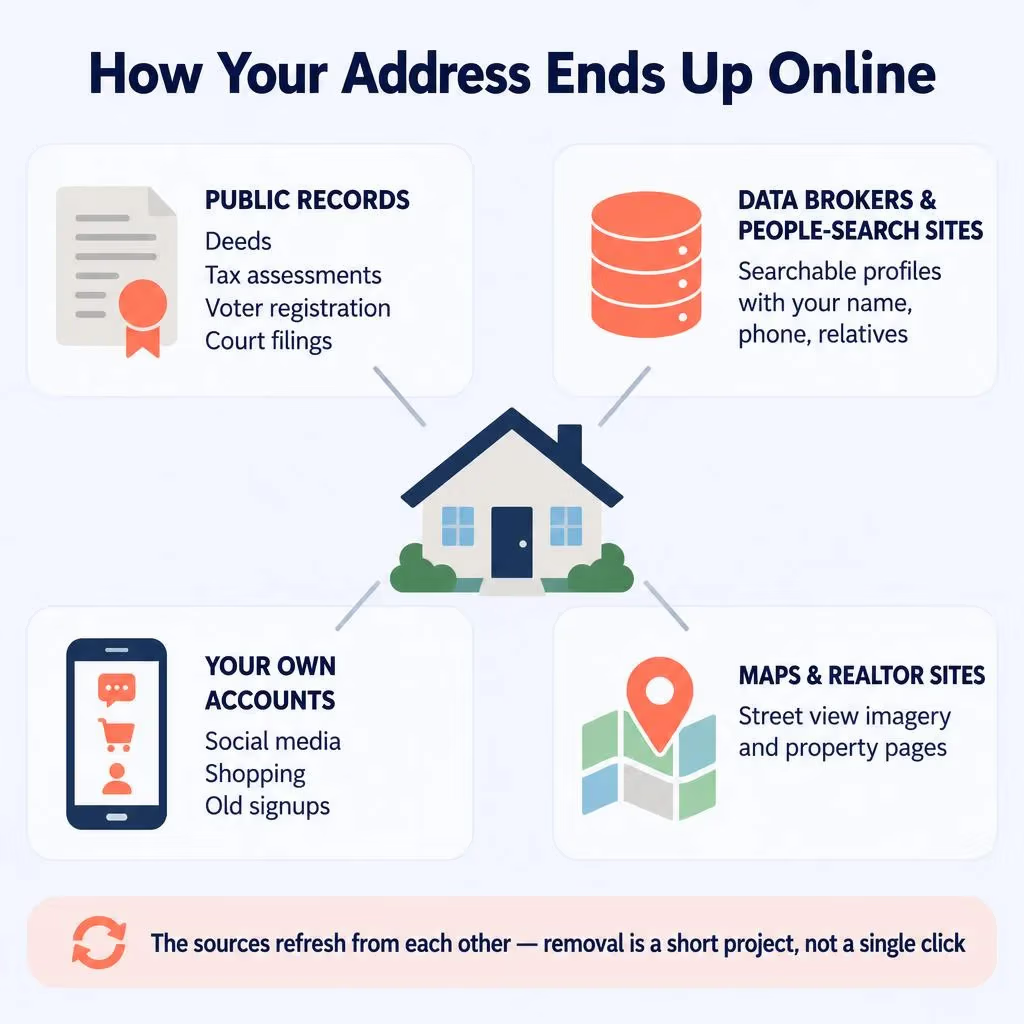
- Public records. Property deeds, tax assessments, voter registration, court filings, and business registrations are public by law, and data brokers harvest them.
- Data brokers and people-search sites. Companies like Whitepages, Spokeo, and dozens more compile those records into searchable profiles that show your address next to your name, phone, and relatives.
- Your own accounts. Address fields on social media, shopping sites, and old signups leak the data directly.
- Maps and realtor sites. Google Maps, Apple Maps, and real-estate aggregators like Zillow can display your home and tie it to you.
Because these sources refresh from each other, removal is a short project rather than a single click. But it works, and the most visible listings come down fastest.
Step 1: Find Where Your Address Appears
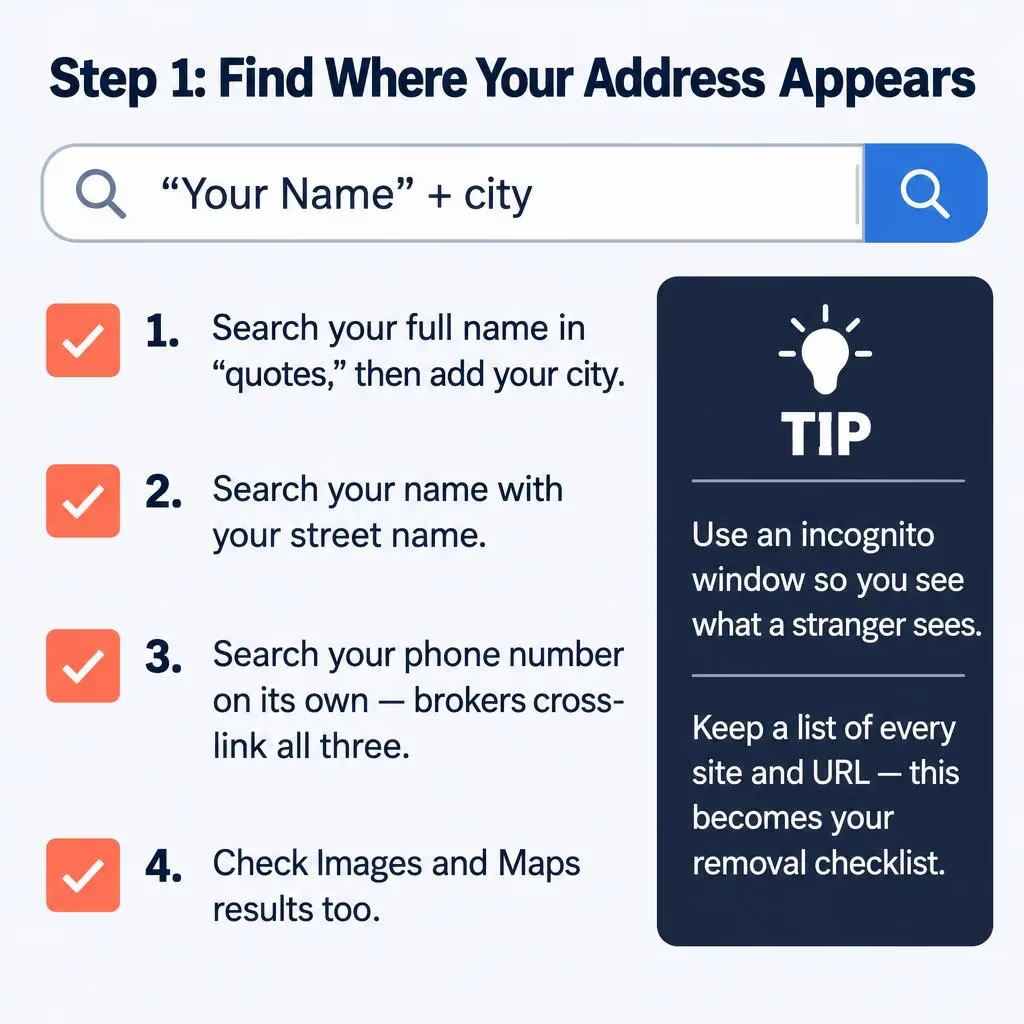
Start by seeing what is exposed, so you know what to target and can measure progress.
- Search your full name in quotes on Google, then add your city: “Your Name” city. Note every site showing your address.
- Search your name with your street name, and your phone number on its own, since brokers cross-link all three.
- Check the image and Maps results too, not just the main results.
- Keep a simple list of every site and URL where your address shows. This becomes your removal checklist.
Use an incognito or private browser window so your own logins and history do not skew the results. You want to see what a stranger sees when they look you up.
Step 2: Hide It in Google Search
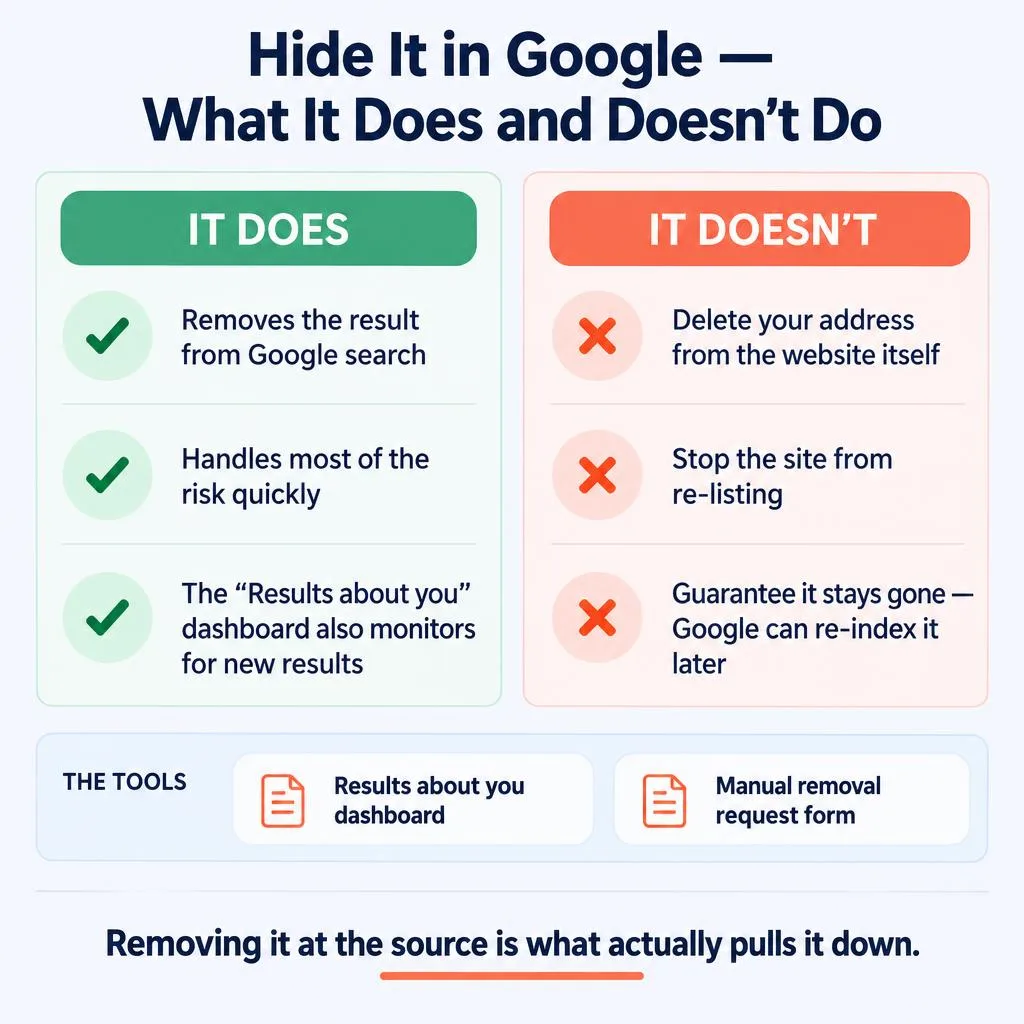
This is the fastest win. Google will remove search results that expose your home address, and you do not need the underlying website’s cooperation to do it.
You have two tools:
- The “Results about you” dashboard. In your Google account under Data and Privacy, this tool finds results containing your contact information and lets you request removal, then monitors for new ones. It is the easiest ongoing option.
- The manual removal request form. Google’s dedicated form lets you submit specific URLs that show your address, phone number, or other personal contact info for removal from search.
Understand what this does and does not do. It removes the result from Google, which is how most people would find your address, so it handles a lot of the risk quickly. It does not delete your address from the website itself, and because the source still has it, Google can re-index it later. That is why the next step, removing it at the source, is the one that actually pulls it down. Our guide on Google results about you covers the dashboard in detail.
Step 3: Opt Out at the Source
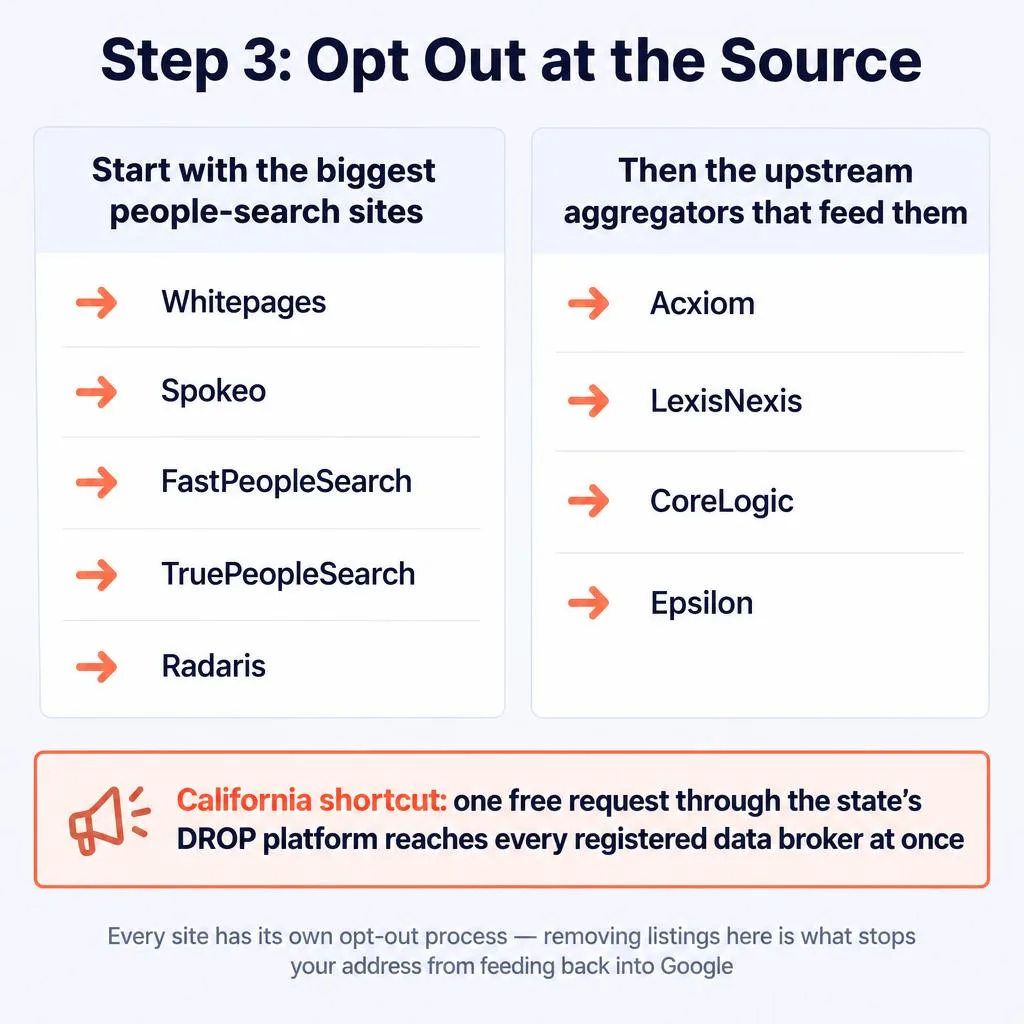
This is the step that does the real work. Every people-search site and data broker has its own opt-out process, and removing your listing there is what stops your address from showing up and from feeding back into Google.
Start with the largest people-search sites, since they cover the most visible exposure fastest, then work down the list. We have step-by-step opt-out guides for the big ones:
Behind the consumer-facing people-search sites sit a handful of large data aggregators that feed them, including Acxiom, LexisNexis, CoreLogic, and Epsilon. Opting out of these upstream sources reduces how quickly the smaller sites repopulate, so they are worth doing even though you will not see them in search results yourself. For the full library, see our data broker opt-out guides.
If you live in California, one free request through the state’s DROP platform reaches every registered data broker at once, instead of opting out site by site. See our guide on California’s DROP platform. Residents of other states can check what rights they have in our data broker deletion rights by state guide.
See Every Site Exposing Your Address
Opting out only works if you know where you are listed. NewReputation’s free scan finds the data brokers and people-search sites showing your home address right now.
- Find the sites publishing your address and relatives
- See what a stranger finds when they look you up
- Free scan, no obligation
Step 4: Property Records, Realtor Sites, and Maps
This is the part most guides skip, and it is specific to hiding an address. Three places tie your name to your physical home in ways the standard broker opt-outs do not fully cover.
Realtor aggregators. Sites like Zillow, Realtor.com, and Redfin show property details and sometimes owner information. You can usually request that your property’s page hide sale history or personal details, or claim and edit the listing. Look for the privacy or “claim your home” options on each site.
Map directories. Google Maps and Apple Maps both let you blur or remove an image of your home. On Google, use Street View, find your house, and use “Report a problem” to request permanent blurring. Apple has a similar process for its imagery. This will not remove the address itself, but it takes away the picture of your front door.
Public property records. Deeds and tax assessments held by your county recorder or assessor are public by law, so they usually cannot be deleted. What you can do is understand your county’s procedures, and, going forward, avoid adding new public records tied to your home address, which the prevention step below covers.
You generally cannot erase a property deed or tax record, because the law makes them public. This is why removal alone is never complete for homeowners, and why the prevention steps, especially using a separate address for future filings, matter as much as the cleanup.
Step 5: Clean Your Own Accounts
Your own accounts leak your address directly, and they are entirely in your control. Go through and remove or lock down the address fields.
- Social media. Remove your address, city, and location details from Facebook, LinkedIn, Instagram, and anywhere else, and set profiles to private where you can.
- Shopping and delivery accounts. These store your address by necessity, but review which have it saved and delete old ones you no longer use.
- Old accounts and signups. Forgotten accounts often hold your address. Our guide on finding accounts linked to your email helps you track them down.
- Photos and documents. Avoid posting anything that shows your house number, street sign, or mail, which quietly reveal where you live.
Step 6: Keep It Off for Good
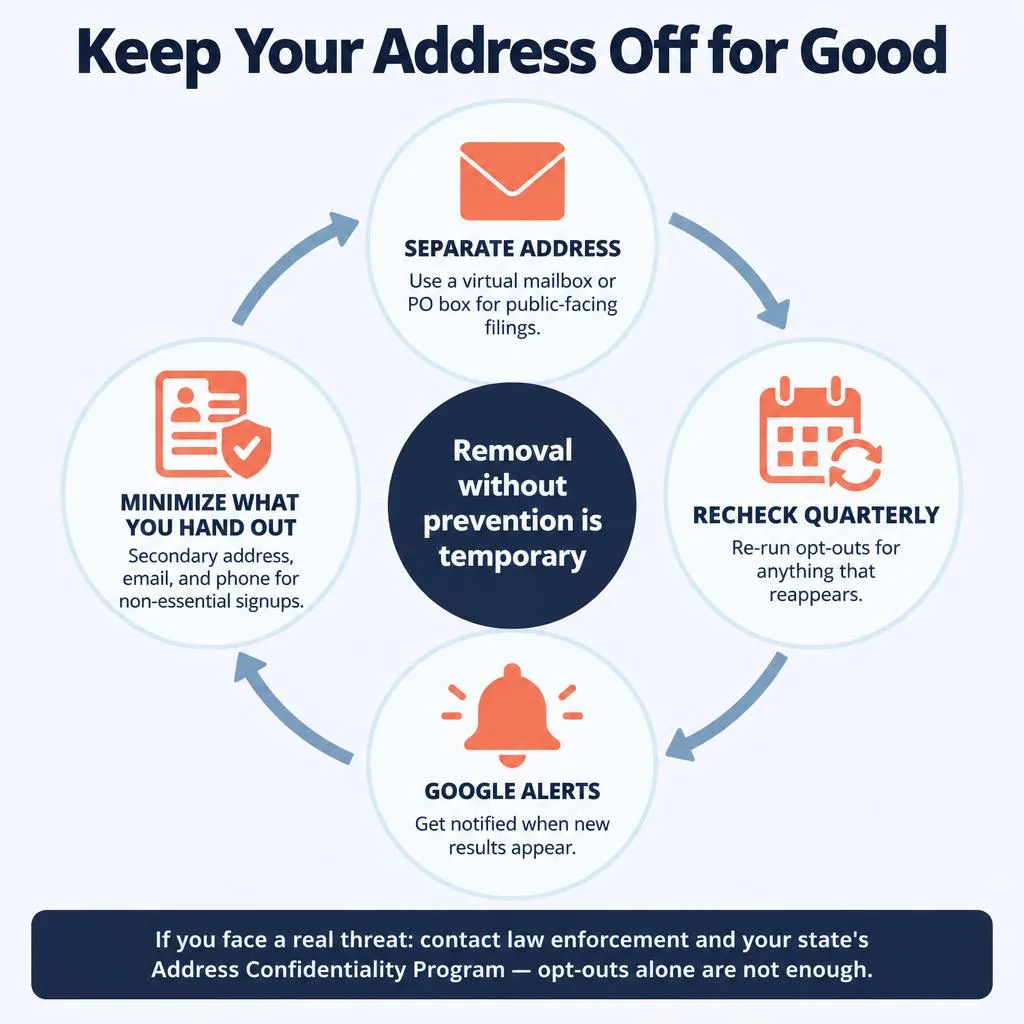
Removal without prevention is temporary. Data brokers rebuild their records from public sources, so an address you remove today can reappear within a few months if your home address keeps flowing through public filings and commercial channels. Treat this as a short project now and a quick recheck every quarter.
The habits that keep your address off:
- Use a separate address for public-facing filings. A virtual mailbox, PO box, or registered-agent address keeps your home address off future property, business, and voter records, which is where brokers get it. This is the single most effective prevention step.
- Recheck quarterly. Search yourself every few months and re-submit opt-outs for anything that reappeared. Set a recurring reminder.
- Set Google Alerts for your name and address so you are notified when new results appear.
- Minimize what you hand out. Use a secondary address, email, and phone number for non-essential signups so less data flows to brokers in the first place.
For the broader picture beyond your address, our guides on removing personal information from the internet and protecting your online privacy cover the full routine.
If You Have Serious Safety Concerns
If you are dealing with a stalker, an abuser, or a credible threat, ordinary opt-outs are not enough on their own, because they take time and can be undone. Take these stronger steps.
Address Confidentiality Programs. Most states run an ACP for survivors of stalking, domestic violence, sexual assault, and sometimes other threats. The program gives you a legal substitute address to use on public records and with government agencies, while your real address is kept confidential. Search your state’s name plus “Address Confidentiality Program,” or ask a local victim advocate.
Prioritize speed and law enforcement. Report threats to the police, document everything, and consider a protective order. For urgent removal help, a professional service can work many sites in parallel faster than doing it one at a time.
Our guides on dealing with an online stalker and what to do about doxxing cover these situations in more depth.
Public-records rules and Address Confidentiality Programs vary by state. If you are facing a serious safety threat, work with law enforcement and a qualified victim advocate or attorney for guidance specific to your situation.
Frequently Asked Questions
How do I remove my home address from the internet?
Work three sources in order. First, use Google’s “Results about you” dashboard or removal form to hide search results showing your address. Second, opt out of the people-search sites and data brokers that publish it, such as Whitepages, Spokeo, and FastPeopleSearch, since this is what actually removes it at the source. Third, clean the address off your own social media and shopping accounts. Then use a virtual mailbox or PO box for future filings and recheck every quarter, because brokers repopulate.
Can I completely remove my address from public records?
Usually not. Property deeds, tax assessments, and voter registrations are public by law, so they generally cannot be deleted. You can remove your address from data brokers, people-search sites, realtor aggregators, and map images, which covers most of what people actually find. To limit public records going forward, use a separate address like a virtual mailbox or registered agent for new filings. Survivors of stalking or abuse can use a state Address Confidentiality Program for a legal substitute address.
How do I get my house off Google Maps?
You can request that Google blur your home in Street View. Open Google Maps, find your house in Street View, click “Report a problem,” and submit a request for permanent blurring, which cannot be undone once applied. Apple Maps has a similar process for its imagery. Note this blurs the image of your home but does not remove your street address from search results, which you handle through Google’s “Results about you” tool and data broker opt-outs.
Why does my address keep reappearing after I remove it?
Data brokers continuously rebuild their databases from public records and other sources, so a listing you remove can repopulate within weeks or months if your home address is still flowing through public filings. This is normal and does not mean your opt-out failed. The fix is prevention: use a separate address for public-facing records so your home address stops entering the supply, and recheck the major sites quarterly to catch anything that returns.
Is it worth paying a service to remove my address?
It depends on your time and risk level. Doing it yourself is free but takes many hours across dozens of sites and must be repeated regularly. A service automates the opt-outs and monitors for reappearance continuously, which is worth it if your time is limited or if you have a safety concern that makes thorough, ongoing removal important. Either way, the underlying steps are the same; a service just runs them for you at scale.
Get Your Address Off, and Keep It Off
NewReputation removes your home address across hundreds of data brokers and people-search sites, cleans your search results, and monitors continuously so it does not come back.
- Removal across hundreds of sites, handled for you
- Search result cleanup so your address stops showing
- Ongoing monitoring so it does not resurface
This article provides general information and is not legal advice. If you are in immediate danger, call 911. The National Domestic Violence Hotline is available 24/7 at 1-800-799-7233.