
Last Updated on 4 months ago by Admin
You just had a job interview. Or you met someone new. Or your LinkedIn views spiked and now you’re wondering who’s paying attention. It’s natural to want to know who is Googling you. But here’s the honest answer: you cannot see who specifically searched for your name on Google. Google does not share that data with anyone, full stop.
That said, you are not completely in the dark. There are real tools that show you what people find when they search your name, when your name appears somewhere new online, and what personal information is currently exposed. That’s actually the more useful question, and it’s one you can act on.
This guide covers what’s possible, what’s not, and how to take meaningful control of your search presence. For a related question many people ask alongside this one, see our guide on who has searched for me.
Table of Contents
Can You Actually See Who Googled You?
No. Any app or website claiming otherwise is misleading you.
Google treats all search queries as private. The company does not release the identity of people who searched for your name, not to you, not to anyone. There is no notification, no log, no way to trace it back to a specific person. This is consistent with Google’s privacy policy, which has held this position since the beginning.
So what about those websites that claim to show you who searched for you? They are pulling aggregated public data from sources like people-search directories and social platforms. They cannot reveal actual Google search activity. If a service is charging you for that specific claim, it is a scam. Avoid giving them your personal information.
The better question is not who searched for you but what they found. That is where real privacy control begins.
See What People Find When They Google You
NewReputation’s free First Impression Report shows exactly what appears for your name in search results, which personal data is publicly exposed, and where you stand right now.
- See your name as others see it in Google Search
- Find out which data broker sites list your address and phone number
- Get a clear starting point to take back control
What You Can Know and Monitor
You cannot see who searched for you. But you can monitor what they find, when your name appears in new content, and what personal information is currently exposed. Here are the tools that actually work.
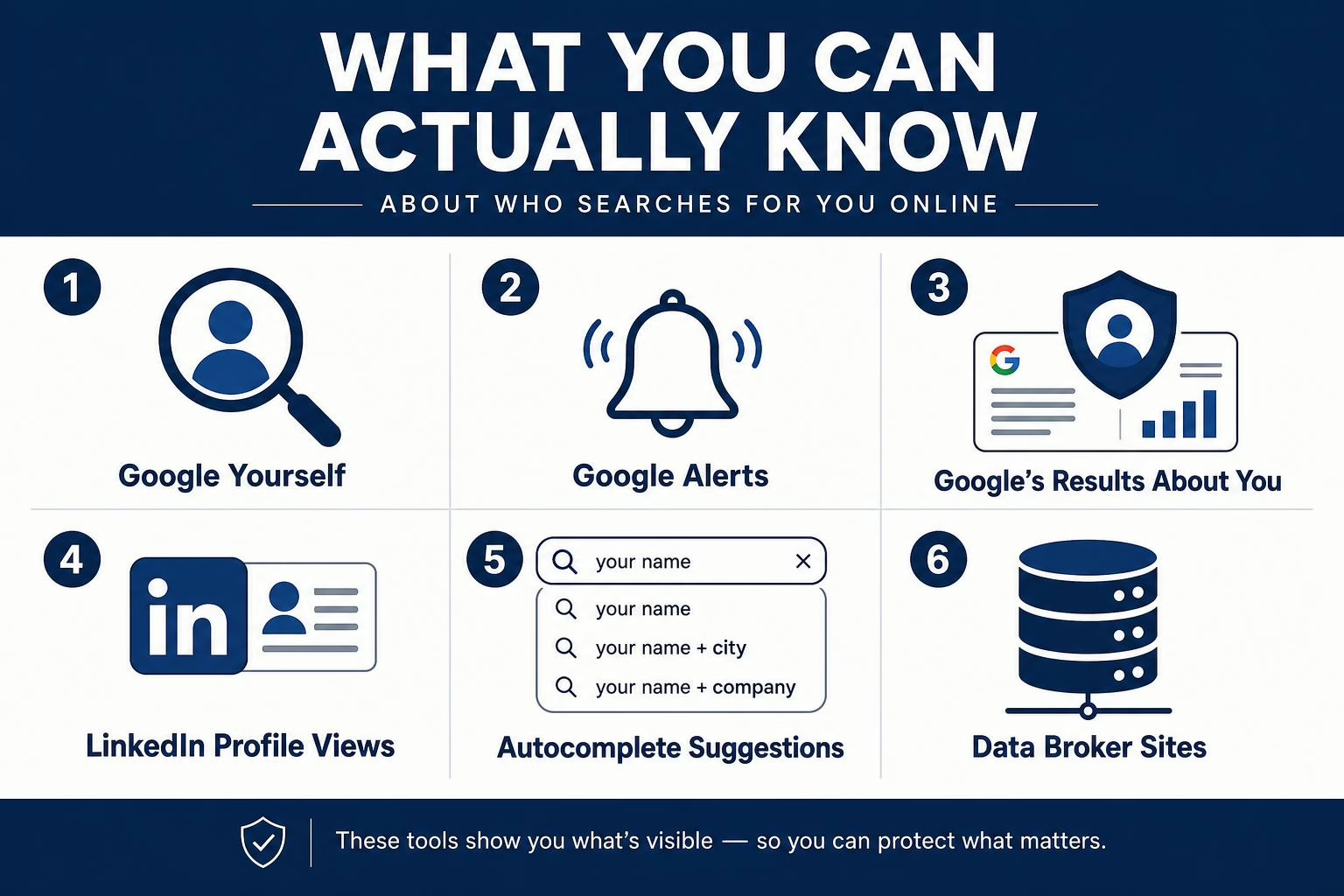
1. Google Yourself First
Before you set up any monitoring, do a clean search of your own name. Open an incognito or private browser window so your search history doesn’t influence results. Then search your full name, and try variations: your name plus your city, your employer, your profession.
What appears on that first page is your real online reputation. Take note of anything that looks wrong, outdated, or sensitive. This gives you a baseline to work from.
2. Set Up Google Alerts for Your Name
Google Alerts is a free tool that emails you whenever your name appears in content newly indexed by Google. It won’t tell you who searched for you, but it tells you when your name shows up somewhere new, which is often more actionable.
To set it up, go to google.com/alerts and sign in with your Google account. Type your name in the search bar and put it in quotes, for example “Your Full Name,” so Google tracks that exact phrase. Click Show options to set your frequency and sources, then click Create Alert.
A few tips to get the most out of it:
- Create a second alert combining your name with your city or employer for more targeted results
- Set frequency to “As it happens” for real-time coverage, or “Once a day” to reduce inbox noise
- Create a Gmail label to keep alert emails organized and easy to review
- Use quotes around your name to avoid alerts for each word individually
If you want to go deeper with alert strategy, our guide on setting up Google Alerts with multiple keywords covers more advanced setups.
3. Use Google’s “Results About You” Tool
Google built a free privacy dashboard called Results About You specifically to help you find and remove your personal contact information from search results. It scans Google Search for your home address, phone number, email address, and as of early 2026, government-issued ID numbers. When it finds a result containing your information, it alerts you and lets you request removal directly.
To get started, visit myactivity.google.com/results-about-you, or open the Google app, tap your profile photo, and select “Results about you.” Enter the personal details you want monitored and turn on notifications. Google will run regular scans and alert you when your information surfaces.
One important note: removing a result from Google’s index does not delete it from the original website. It only makes the result harder to find through Google Search. Our full breakdown of the Google Results About You tool explains what it can and cannot remove.
4. Check LinkedIn Profile Views
LinkedIn is the one platform that comes closest to showing you who looked you up. It displays a list of people who viewed your profile, including their name, job title, and how they found you, if they were signed in when they visited.
Free accounts see a limited preview. LinkedIn Premium shows the full list. Keep in mind that LinkedIn shows profile views, not Google search activity. Someone could Google your name and land on your LinkedIn page without appearing in your viewer list unless they clicked through while signed in.
Still, a spike in profile views is often a reliable signal that someone is actively researching you. If you want to understand how LinkedIn fits into your broader online identity, our guides on whether LinkedIn is considered social media and LinkedIn lead generation give useful context. And if you are dealing with unwanted attention on the platform, see how to block someone on LinkedIn.
5. Check Google Autocomplete Suggestions
Google Autocomplete reflects real, aggregated search behavior. When you type a name and suggestions appear, those phrases represent what people commonly search in combination with that name.
Try typing your full name into Google and note what comes up. Common variations like your name plus “reviews,” “address,” or “LinkedIn” can tell you a lot about how people search for you and what they’re looking for when they do.
6. Search Data Broker Sites for Your Own Listing
Data brokers like Spokeo, Whitepages, and BeenVerified compile personal information from public records and make it searchable to anyone. When someone looks you up on one of these sites, they can find your home address, phone number, relatives, and more. For context on how closely linked phone numbers and addresses can be, see our guide on whether someone can find your address from your phone number.
Search your name on a few of these sites to understand your actual exposure. Most people are surprised by how much is available. You can submit opt-out requests to each site individually through our reverse phone number lookup opt-out guide, or use a professional removal service to handle it at scale.
What Shows Up When Someone Googles You
Here is what a typical Google search of your name might reveal and where each result comes from.
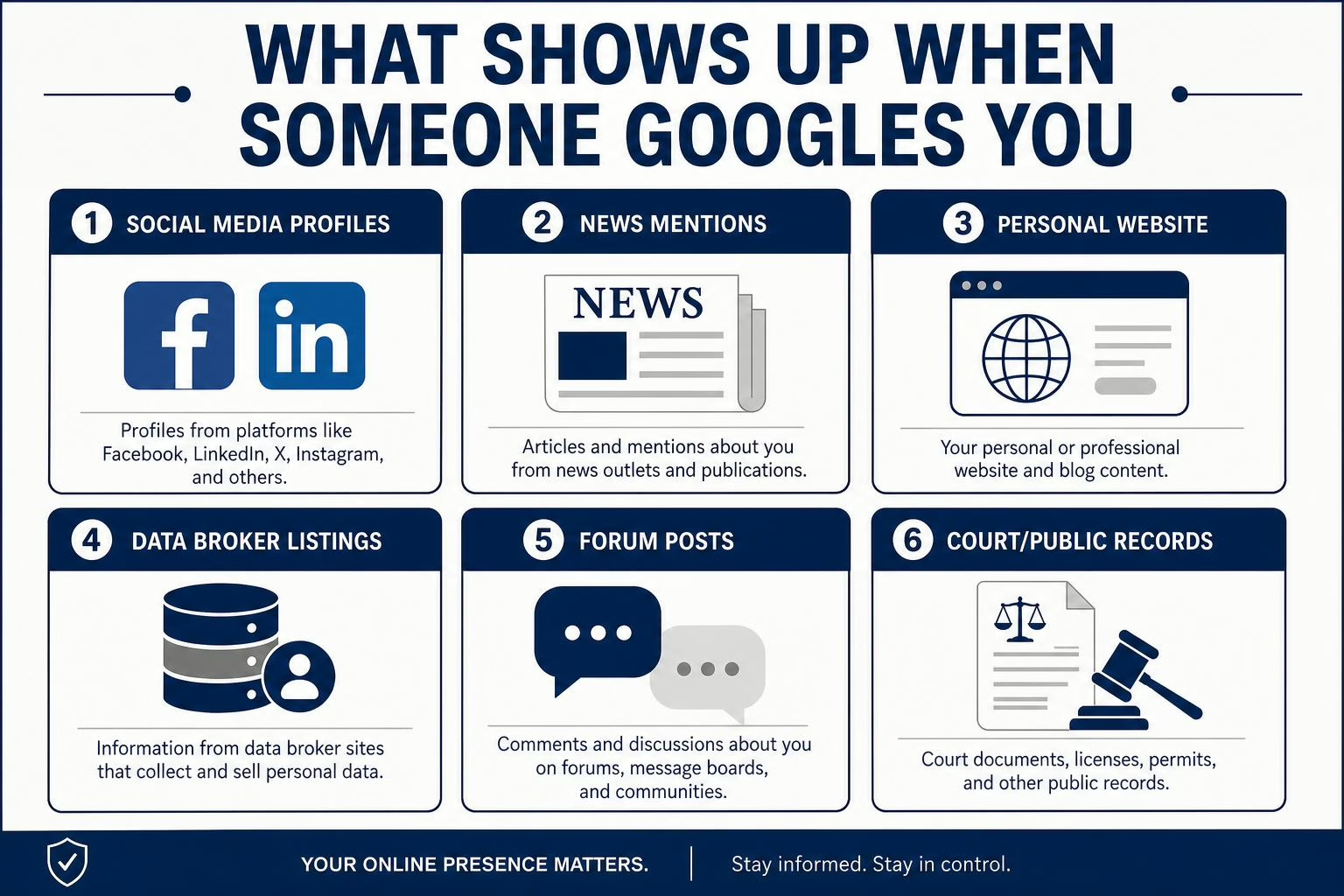
| What They Find | Where It Comes From |
|---|---|
| Social media profiles | Facebook, LinkedIn, Instagram, X |
| News mentions or press coverage | News sites, blogs, press releases |
| Your website or portfolio | Your own domain |
| Data broker listings | Spokeo, Whitepages, BeenVerified, Radaris |
| Forum posts or comments | Reddit, Quora, industry forums |
| Old articles or photos | Any indexed webpage |
| Court or public records | Government databases |
Every one of these is within your control to some degree, either by removing it, updating it, or building better content to push it down the page. Understanding your digital footprint is the starting point for all of it.
What to Do If You Find Something You Don’t Want There
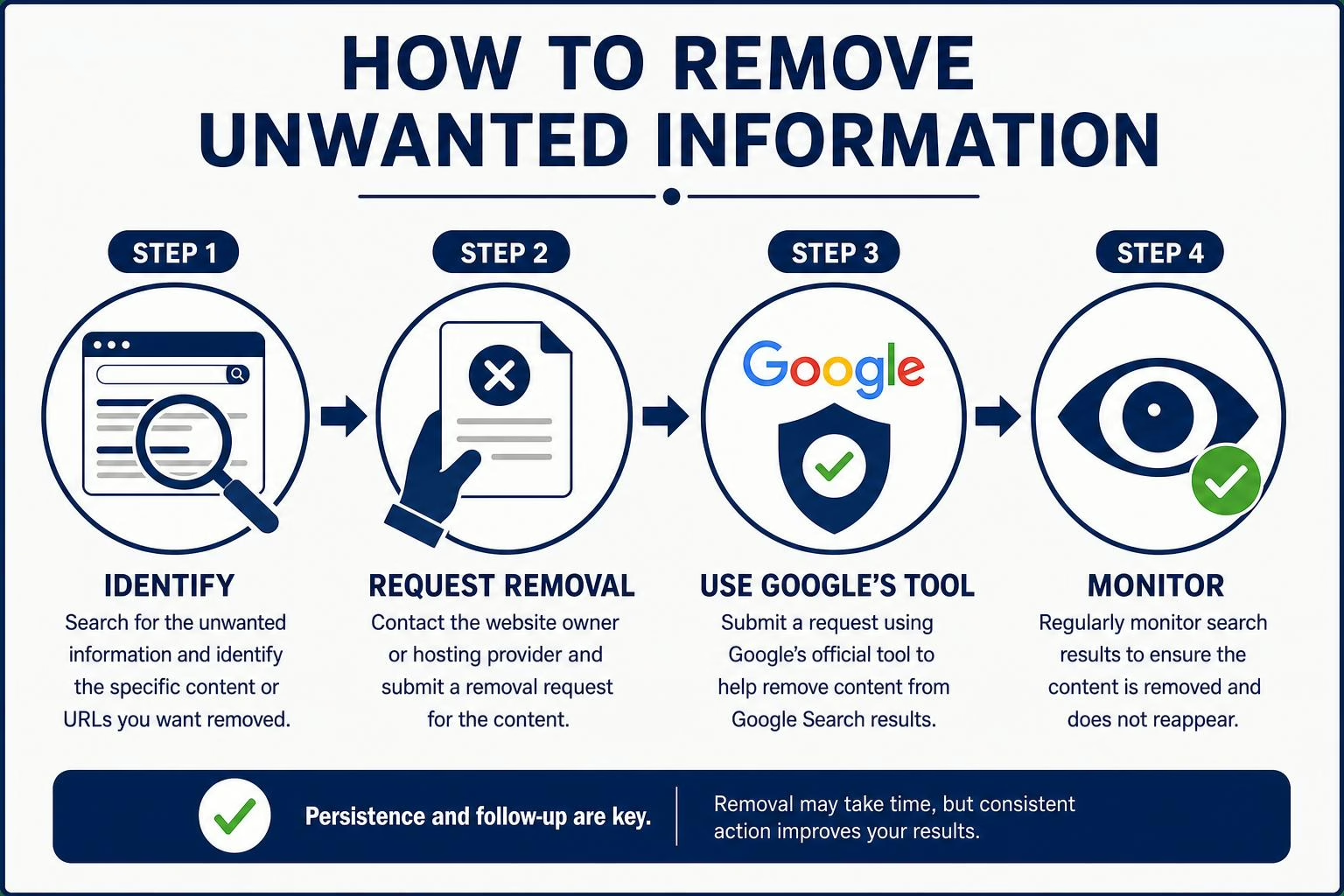
Finding unwanted content in your search results is stressful, but you have real options. The right approach depends on where the content lives.
If it is on a data broker or people-search site, submit an opt-out request directly to that platform. Our Radaris removal guide is a good example of what the process looks like. For a comprehensive approach across dozens of sites, our digital footprint removal guide covers the full scope.
If your personal contact information is appearing in Google Search results, use Google’s Results About You tool to submit a removal request. Google reviews each request and, if it meets their policy, removes the result from search for everyone. For a step-by-step walkthrough, see our guide on how to remove your personal information from Google.
If you have been doxxed or had your information posted with intent to harm, Google has a specific policy for this. You can submit a request through Google’s doxxing removal form. Our guide on what doxing is explains the full scope of the issue, and our guide on how to deal with an online stalker covers what to do if the situation escalates.
If the content is on a news site, blog, or social platform, contact the publisher or platform directly to request a correction, takedown, or privacy removal. For social platforms specifically, our guide on social media privacy issues covers what each platform allows.
The Electronic Frontier Foundation (EFF) also maintains free resources on protecting your online privacy if you want independent guidance beyond what any company offers.
Want Help Removing Unwanted Results?
NewReputation handles data broker opt-outs, Google removal requests, and ongoing monitoring so you don’t have to manage it site by site.
- Removal requests submitted to 100+ data broker and people-search sites
- Ongoing monitoring and re-removal as listings reappear
- Google Search result removal support for personal information
How to Build a Search Presence You’re Proud Of
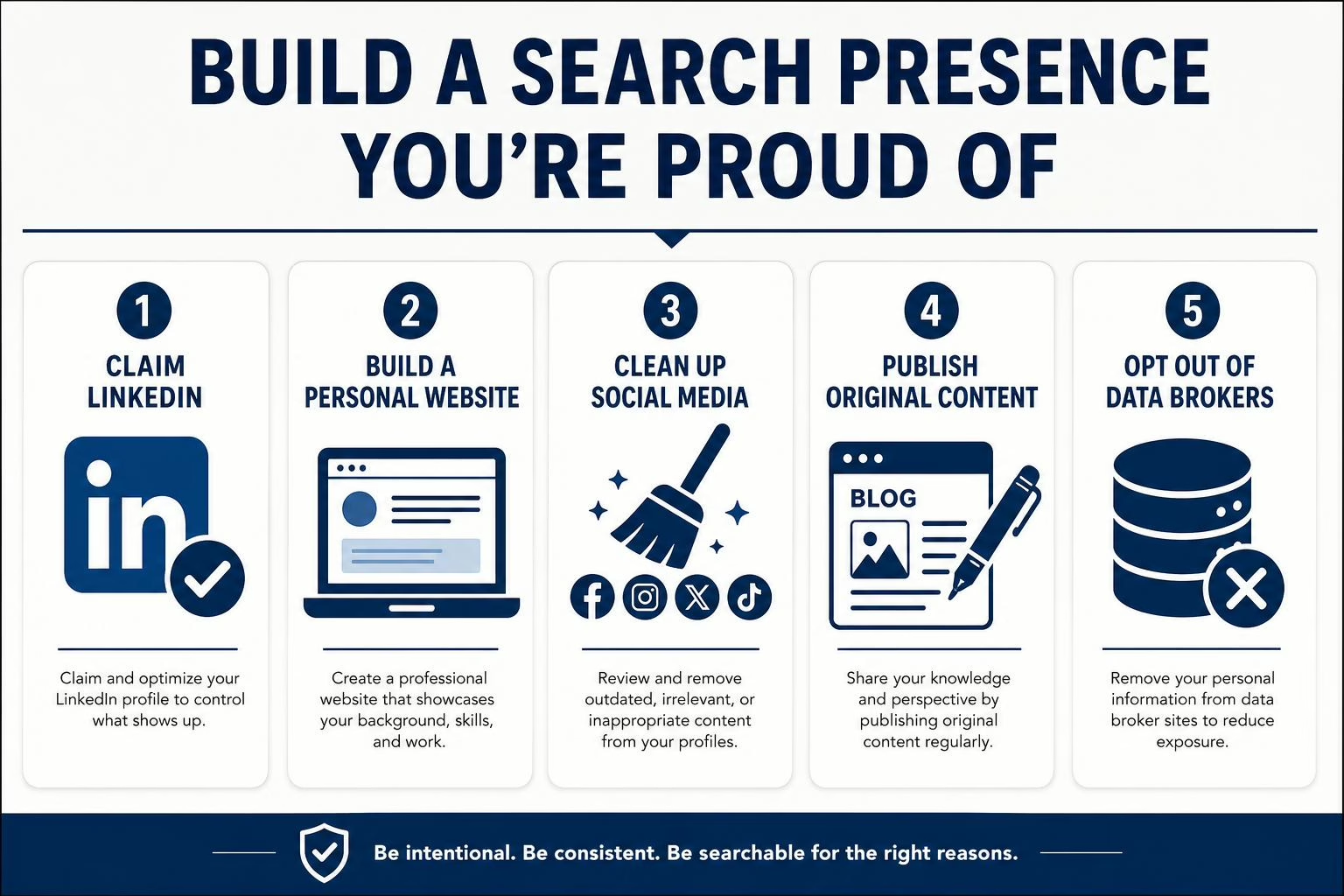
Monitoring and removal are reactive. The other side of this is proactive: building a search presence so that when someone Googles you, they find exactly what you want them to find.
A few practical steps that move the needle:
- Claim and maintain your LinkedIn profile. It almost always ranks on the first page for a person’s name. Keep it current and complete.
- Build a personal website or portfolio. Even a single-page site gives you a top-ranking result you fully control. It is one of the most effective tools in personal SEO.
- Clean up old social media accounts. Delete accounts you no longer use or make them private. Old profiles with outdated information can rank for years.
- Publish original content under your name. Blog posts, guest articles, and bylines build authority and push unwanted results further down the page.
- Opt out of data brokers on a regular basis. Listings tend to reappear over time. Ongoing removal is part of a complete personal information protection strategy. Our guide on how to ungoogle yourself walks through the full process.
- Use a VPN for general browsing privacy. While this doesn’t affect what others find about you, it limits how much new data gets collected. Our roundup of the best VPNs for online privacy covers the top options.
For a comprehensive view of everything that feeds into your digital identity and how to shape it, our online reputation management guide covers the full picture. And if you want to understand the complete scope of what’s out there about you, start with protecting your personal information from hackers and identity theft.
Frequently Asked Questions
Can Google tell me who searched my name?
No. Google does not share search query data with individuals. There is no tool, app, or service that can legitimately reveal who typed your name into Google. Search activity is private by design.
Does Google Alerts show me who searched for me?
No. Google Alerts notifies you when your name appears in newly indexed content, not when someone performs a search. It is a monitoring tool, not a search tracking tool.
Can LinkedIn show me if someone searched my name on Google?
No. LinkedIn shows profile views from signed-in users who visited your profile directly. It does not track Google search activity or tell you how people found your profile in the first place.
Are apps that claim to show who Googled you legitimate?
No. These services are either scams or deeply misleading. They typically surface aggregated public data and present it as search tracking. Do not provide your personal information to services making this claim.
How do I remove my address from Google Search?
Use Google’s Results About You tool at myactivity.google.com/results-about-you to submit a removal request. If your address appears on a data broker site, you will also need to submit opt-out requests to each of those platforms separately. Our guide on removing personal information from Google walks through both steps.
What is the best free tool to monitor my name online?
Google Alerts is the best free starting point for new mentions. Pair it with Google’s Results About You dashboard for ongoing coverage of your personal contact information in existing search results. Together they cover the two most common sources of exposure.
Can someone find out where I live just by knowing my phone number?
In many cases, yes. Reverse phone lookup tools and people-search sites can link a phone number to a name and address using publicly available records. See our full guide on whether someone can find your address from your phone number for details, and our guide on how to make your phone number unsearchable for what to do about it.
What should I do if I find false information about myself online?
Address it promptly. Request removal from the source when possible. Publish accurate content that can rank above it. If the content is on Google, use the Results About You tool or Google’s content removal forms. For reputational damage, structured reputation management may be necessary. Our online reputation management guide covers the full approach.
The Bottom Line
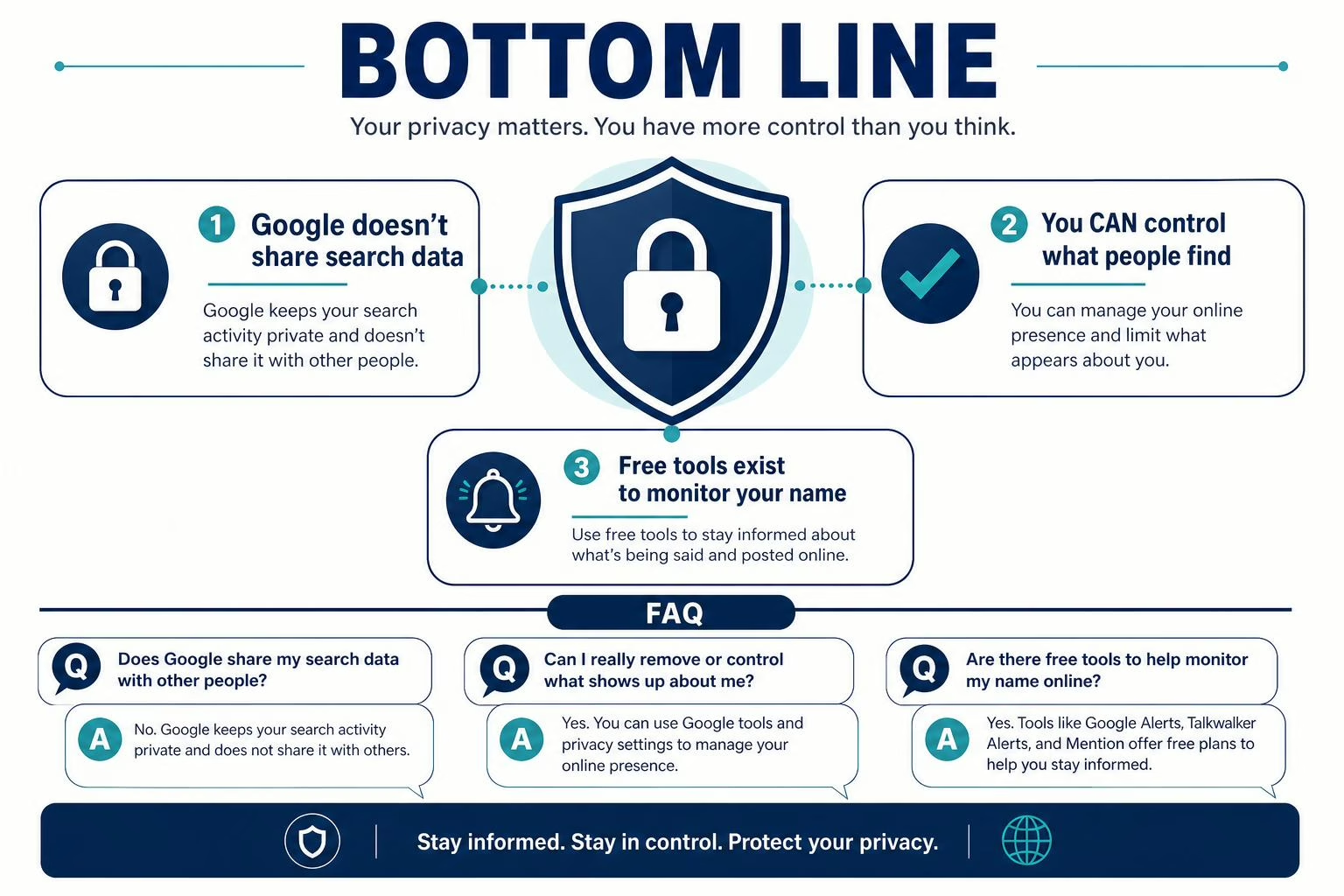
You cannot see who Googled you. But you can see what they found, and you can do something about it.
Set up Google Alerts. Turn on the Results About You dashboard. Opt out of data broker sites. Build a clean, accurate search presence. Those four steps put you well ahead of where most people start.
The shift in mindset matters too. The question is not who searched for you. It is what they found when they did. That is a question with a real answer, and one you can control. Our guides on digital footprint removal and protecting your personal information are good next steps if you want to go further.
Take Control of What People Find When They Google You
NewReputation’s free First Impression Report shows you exactly what appears for your name, where your personal information is exposed, and what to do next.
- See your current search results the way others see them
- Identify data broker and people-search listings with your address or phone number
- Get a clear, actionable plan to clean up your online presence

West Virginia alumni with a background in marketing and sales for both established companies and startups.